

A client walks into your studio, sits down, and you hand them a clipboard with a photocopied form. They skim it, scribble a signature, and you toss it in a drawer. Six months later, they claim they were never told about aftercare risks. You dig through a filing cabinet and find nothing.
This isn't hypothetical. It happens in studios every week. And when it does, the artist is the one left exposed.
Whether you call it a consent form, a tattoo release form, or just "the tattoo form" - it isn't just paperwork. It's the legal foundation of every tattoo you do. This guide covers what yours needs to include, where most studios cut corners, and how to set up a system that actually protects you.
Why consent forms matter more than you think
Tattooing is an invasive procedure. You're breaking skin, introducing ink, and creating a permanent change to someone's body. That comes with real legal exposure.
A properly executed consent form does three things:
- Proves the client understood the risks before you started
- Documents their medical history so you can make informed decisions
- Establishes clear terms around aftercare, touch-ups, and refunds
Without this documentation, any dispute becomes your word against theirs. And in most jurisdictions, the burden of proof falls on the person performing the procedure - that's you.
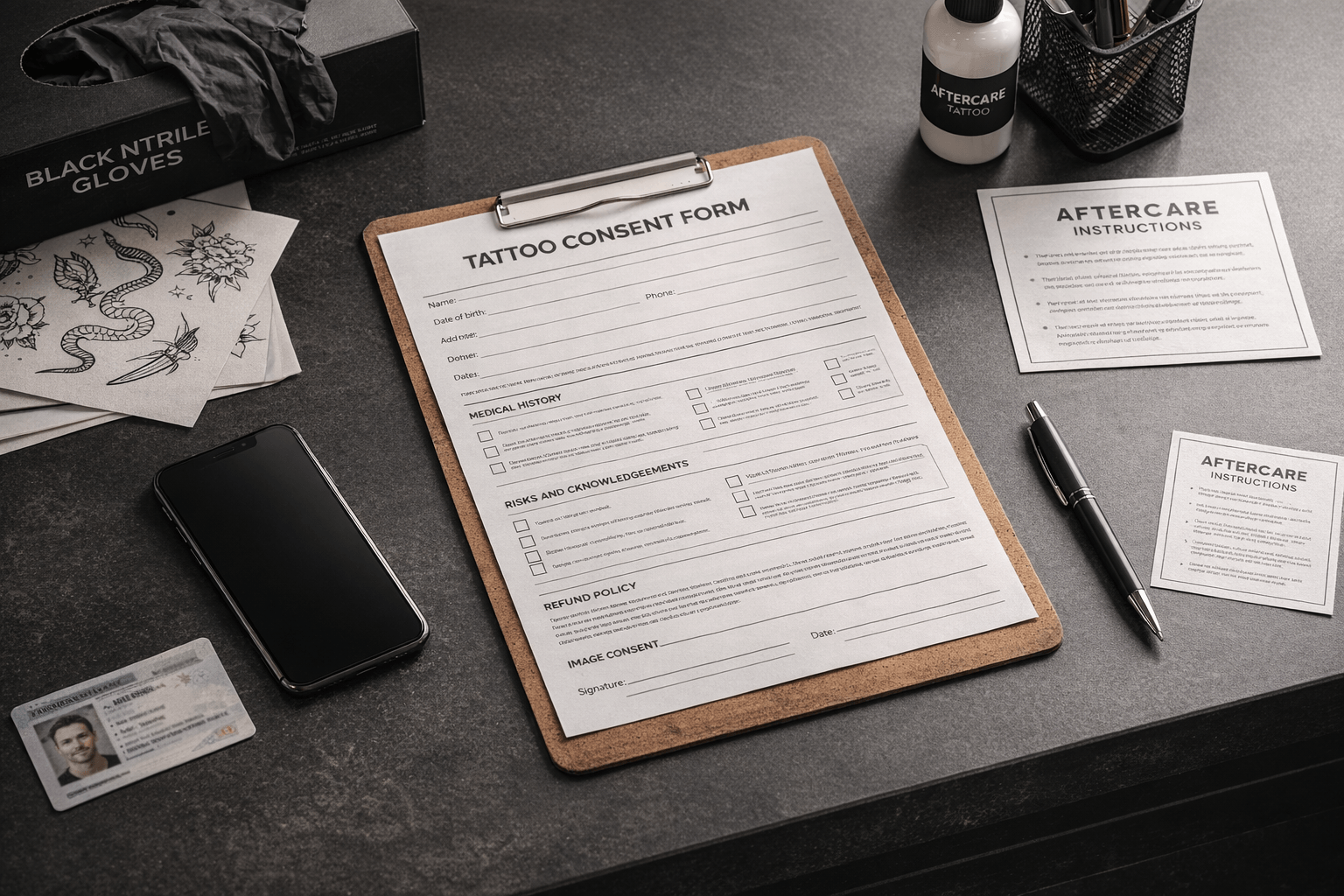
What every tattoo consent form must include
Client identification
Start with the basics: full legal name, date of birth, government-issued ID number or type, and contact information. For minors (where tattooing minors is legal), you need the parent or guardian's information and signature as well.
Age verification isn't optional. Document it every time, even for regulars.
Medical disclosure
This section catches the issues that can turn a routine session into a serious problem:
- Allergies - specifically to latex, metals (nickel), adhesives, and ink pigments
- Skin conditions - eczema, psoriasis, keloid scarring tendency
- Blood-borne conditions - hepatitis, HIV (not to refuse service, but to ensure proper precautions)
- Medications - blood thinners, immunosuppressants, Accutane, and other drugs that affect healing
- Pregnancy or nursing status
- Diabetes or immune system disorders that impair wound healing
- Recent alcohol or drug use within 24 hours
Frame these as yes/no questions with space for details. Don't rely on open-ended prompts like "list any medical conditions" - clients forget or don't think something is relevant unless you ask directly.
Risk acknowledgment
The client needs to confirm, in plain language, that they understand:
- Tattooing involves needles penetrating the skin and carries inherent risks
- Possible complications include infection, allergic reaction, scarring, and pigment migration
- Results may vary due to skin type, placement, sun exposure, and aging
- Color accuracy cannot be guaranteed, as ink appears differently on different skin tones
- The tattoo is permanent and removal is expensive, painful, and not always complete
Don't bury this in legalese. Courts have thrown out consent forms where the language was so dense that a reasonable person couldn't be expected to understand what they signed.
Aftercare instructions
Include your aftercare protocol directly in the form, and have the client acknowledge they received and understood it. This covers you if a client ignores your instructions and then blames you for a bad heal.
At minimum, cover:
- Leave the second skin (protective film) on for around 24 hours after the session
- After removing the second skin, wash the tattoo gently with water only - no soap, no scrubbing
- Apply a tattoo-specific aftercare lotion that is certified for use on fresh tattoos
- What to avoid (swimming, direct sun, picking/scratching)
- Signs of infection that warrant medical attention
- Your touch-up policy and timeline
Image rights and portfolio use
If you photograph your work for social media or your portfolio, get explicit consent. This should be a separate opt-in, not buried in the general consent text. The client should be able to decline photo use without it affecting their appointment.
Specify:
- What platforms you may use the images on
- Whether the client's face or identifying features will be visible
- Whether they can revoke consent for image use later
Cancellation and refund policy
State your deposit policy, cancellation window, and refund terms clearly. When the client signs, they're acknowledging they agreed to these terms before the work began. This is your first line of defense in any payment dispute.
Signature and date
Require a signature (physical or electronic) and the date. But not all digital signatures are equal - see the section below on what makes a digital consent form actually hold up legally.
Checklist: must-have clauses at a glance
- Client is at least the legal minimum age for tattooing
- Client is not under the influence of alcohol or drugs
- Client has disclosed all relevant medical conditions and medications
- Client understands tattooing is permanent and carries health risks
- Client has received and understood aftercare instructions
- Client consents (or declines) to photographs for portfolio use
- Client agrees to the cancellation and refund policy
- Client confirms all information provided is accurate

Where PDF consent forms fall short
A lot of studios download a tattoo consent form PDF template, print a stack, and call it done. That's better than nothing. But paper and PDF forms have real limitations:
Storage and legal retention. Most jurisdictions require you to retain signed consent forms for years - sometimes three, sometimes ten, depending on local regulations and the statute of limitations for personal injury claims. That's not a suggestion, it's a legal obligation. Now ask yourself: where are you keeping all those forms? Filing cabinets fill up. Paper gets lost, water-damaged, or thrown out during a studio move. If you can't produce a signed consent form when you need it, it's as if it never existed. And during an inspection or legal dispute, "I think we had it somewhere" won't cut it.
Legibility. Handwritten forms are often unreadable. If you can't make out a client's allergy note or the date on their signature, the form loses its protective value.
No audit trail. A paper form can't prove when it was signed unless someone witnessed it. There's no timestamp, no IP address, no device record. In a dispute, this matters.
Updating is painful. Laws change. Your services evolve. With paper, you have to reprint and redistribute every time you update a clause. Old versions float around the studio for months.
Proving which terms the client actually saw. If your consent form references a separate terms of service or studio policy, printing just the signature page isn't enough. You need to print the full terms and have the client sign those too - otherwise you can't prove what version of the terms was in effect when they signed. That means more pages, more printing, and more storage for every single appointment. It might sound like overkill for a tattoo studio, but this is standard practice in most industries that deal with liability - from healthcare to car rentals. Studios that don't do this usually just haven't had a dispute yet. The moment a client claims they never agreed to your cancellation policy or aftercare terms, and you can't produce proof that they saw the exact wording, you're done.
Providing copies to the client. Under EU law (Consumer Rights Directive 2011/83/EU, transposed into German law as §312f BGB), if the contract was concluded online or off-premises - which includes any booking made through your website or social media - you are legally required to provide the client with a copy of the contract and your terms on a durable medium. Even for walk-in clients where this obligation doesn't technically apply, German law (§305(2) BGB) requires that your general terms and conditions were accessible to the client before they agreed - and in a dispute, you'll want proof that they were. Best practice is to always send a copy regardless of how the booking happened. With paper, that means printing duplicates and either handing them over or mailing them. It's yet another step that most studios skip - until it costs them.
No connection to client records. A paper form sits in a drawer. It's not linked to the client's appointment history, their medical notes, or their previous sessions. You can't pull up their file and see everything in one place.
Why digital consent forms are worth the switch
Digital consent forms solve every problem listed above:
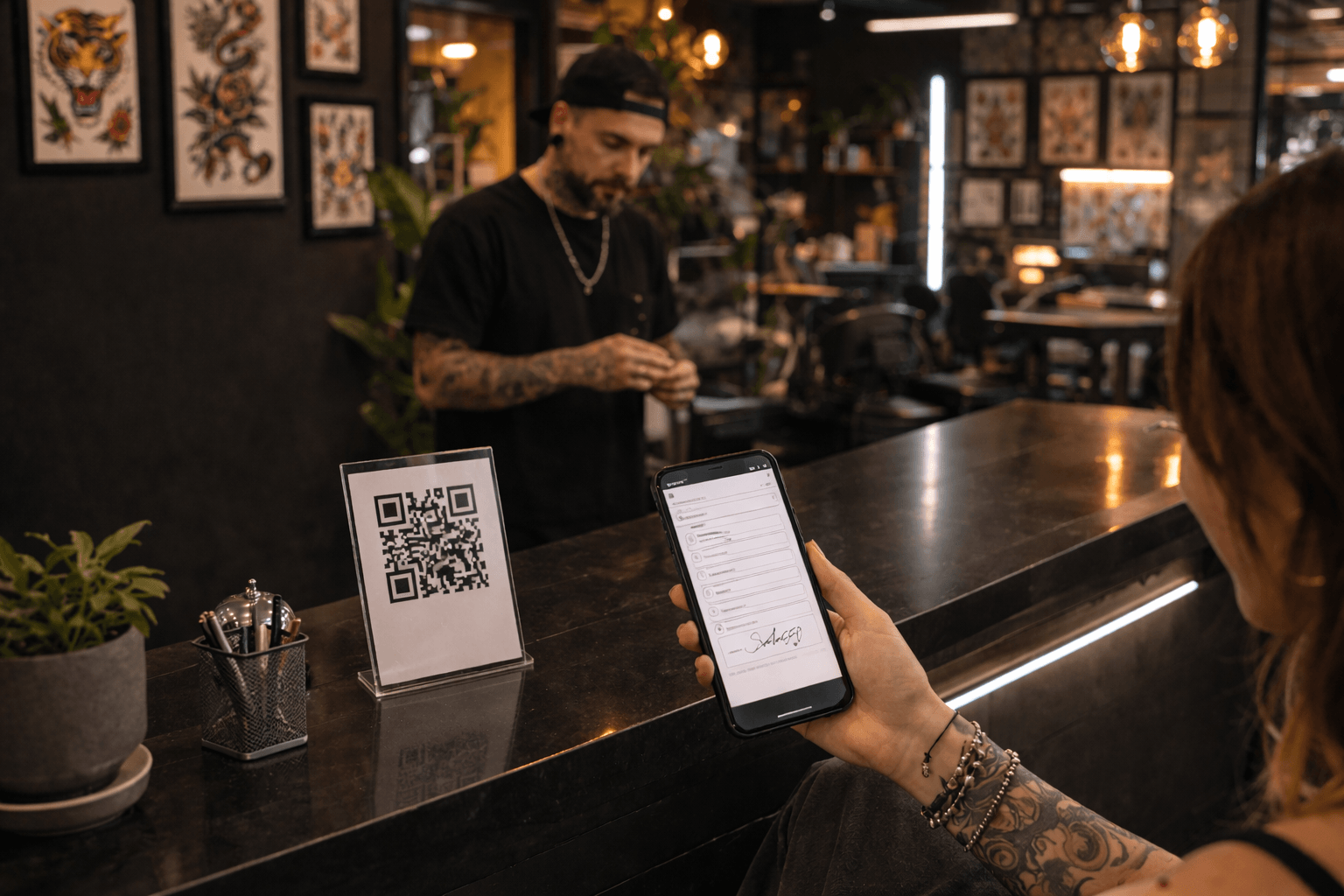
- Clients fill them out on their own phone before they arrive, via a QR code or booking link. No clipboards, no waiting room delays.
- E-signatures with timestamps create a verifiable legal record. You know exactly when the form was signed and from what device.
- Medical disclosures sync to the client's profile automatically. The next time they book, you already know about the nickel allergy.
- Forms are encrypted and instantly searchable. Need to pull up a consent form from eighteen months ago? Ten seconds, not ten minutes.
- Updates apply immediately. Change a clause once, and every future form uses the new version. No reprinting.
- Custom templates per service. A walk-in flash piece doesn't need the same consent workflow as a multi-session sleeve. Digital forms let you match the paperwork to the procedure.
- Automatic copy delivery. The client receives a copy of the signed contract and your terms via email the moment they sign. This satisfies the EU legal requirement for distance and off-premises contracts without any extra effort on your part.
The initial setup takes an afternoon. After that, consent forms essentially run themselves.

Not all digital consent forms are created equal
This is the part that most tattoo and beauty platforms don't tell you - and it's arguably the most important thing to get right.
Going digital doesn't automatically mean your consent forms will hold up in court. If your "digital consent form" is just a checkbox on a website or a finger scribble on an iPad with no verification behind it, you're barely better off than paper. In a dispute, the client can claim they never signed it - or worse, that the artist filled it out themselves on the studio's device and signed in the client's name. Without proper verification, you have no way to prove otherwise.
A legally robust digital consent form needs to be verifiable. That means the signing process must capture enough evidence to prove that a specific person signed on a specific device at a specific time. Look for solutions that are compliant with e-signature regulations (like eIDAS in Europe or ESIGN/UETA in the US) and that capture:
- Device fingerprint data - which device was used, browser or app, operating system
- IP address and geolocation at the time of signing
- Timestamps that are cryptographically verifiable, not just a date field you filled in
- A unique signing link tied to the client's identity (email or phone verification)
- A tamper-proof audit trail that proves the document wasn't altered after signing
This is a real gap in the industry. Many platforms offer "digital consent forms" that are little more than a form builder with a signature pad. They look modern, but they won't survive legal scrutiny any better than a paper form would. When you're evaluating tools, ask specifically how they handle e-sign compliance and what evidence they capture. If the answer is vague, that's your red flag.
Common mistakes to avoid
Using a generic template without customization. Every studio has different services, policies, and local legal requirements. A one-size-fits-all form downloaded from the internet may not cover what you actually need.
Skipping the medical section. Some artists feel awkward asking health questions. Don't skip them. A client with uncontrolled diabetes who heals poorly is a liability if you didn't ask.
Burying important clauses in fine print. If a clause matters enough to include, it matters enough to be readable. Use clear headings and plain language.
Not keeping forms long enough. Retention requirements vary, but many jurisdictions mandate you keep consent records for years - and the statute of limitations for injury claims can extend even further. Losing or discarding a form before that window closes leaves you legally unprotected. Digital storage handles retention automatically. With paper, it's on you to keep every single form safe and organized for years on end.
Assuming any digital form is legally valid. A checkbox or a finger scribble on a tablet without proper e-sign compliance is barely better than paper. If you can't prove who signed, when, and on what device, your digital form may not hold up when it matters. Don't let a slick interface fool you into thinking you're protected.
Forgetting to update when laws change. Consent requirements vary by country, state, and even city. When regulations change, your forms need to change too. Set a reminder to review your consent form at least once a year.
Getting started
If you're currently using paper forms, here's a practical path forward:
- Audit your current form. Does it cover every section listed above? If not, add what's missing.
- Talk to a local attorney or industry association. Consent requirements vary by jurisdiction. A quick legal review is worth the peace of mind.
- Decide on a digital solution. Look for one that integrates with your booking and client management system so forms aren't siloed from the rest of your workflow.
- Set up templates for your most common services. Start with your standard tattoo consent form, then add variants for piercings, cosmetic tattoo, or other services you offer.
- Test the client experience. Send yourself the form link, fill it out on your phone, and see how it feels. If it's clunky or confusing, your clients will notice.
How inkStar handles consent form compliance
This is something we take seriously because we've seen too many platforms get it wrong. inkStar's digital consent forms are built with full e-sign compliance from the ground up. Every signature captures device fingerprint data, IP address, timestamps, and a tamper-proof audit trail - so you can prove exactly who signed, when, and on what device.
Forms are tied directly to client profiles and appointment records, stored encrypted, and retained automatically so you never have to worry about meeting legal retention requirements. You can build custom templates per service type, and clients complete everything on their own phone via QR code before they even sit down.
We built this because a consent form that can't be verified in a dispute isn't really protecting you. If you want digital consent forms that actually hold up, give inkStar a try.
Consent forms aren't the exciting part of running a studio. But they're the part that protects you when things go sideways. Get them right once, automate the process, and you'll never think about them again - until the day you're glad you did.