
Your client info is a scattered mess
Between notebooks, DMs, and memory, important client details slip through the cracks every day. That costs you time, trust, and repeat business.

Tuesday
3:14 PM
Client info scattered everywhere
Phone numbers in your contacts app, allergies in a notebook, conversation history in Instagram DMs. When a client calls, you're piecing together who they are from four different places.No-show repeat offenders keep booking
The same clients cancel last minute or skip appointments outright. Without a way to track it, you keep holding slots for people who won't show - and losing real revenue every time.Consent forms buried or missing
Paper waivers get lost, damaged, or filed under the wrong name. When a client disputes what they agreed to, you have nothing solid to point to.Preferences and allergies forgotten
A returning client mentions their allergy for the third time and you still don't remember. Nothing keeps notes, preferences, and past conversations in one reliable place.Problem clients slip back into the chair
No system flags difficult customers before they book again. By the time you recognize the name, they're already sitting down.
One overlooked detail is forgivable. A pattern is a business risk.
How inkStar knows your clients
Add a client once and everything else follows automatically - preferences, consent, strikes, and notes, all in one place.
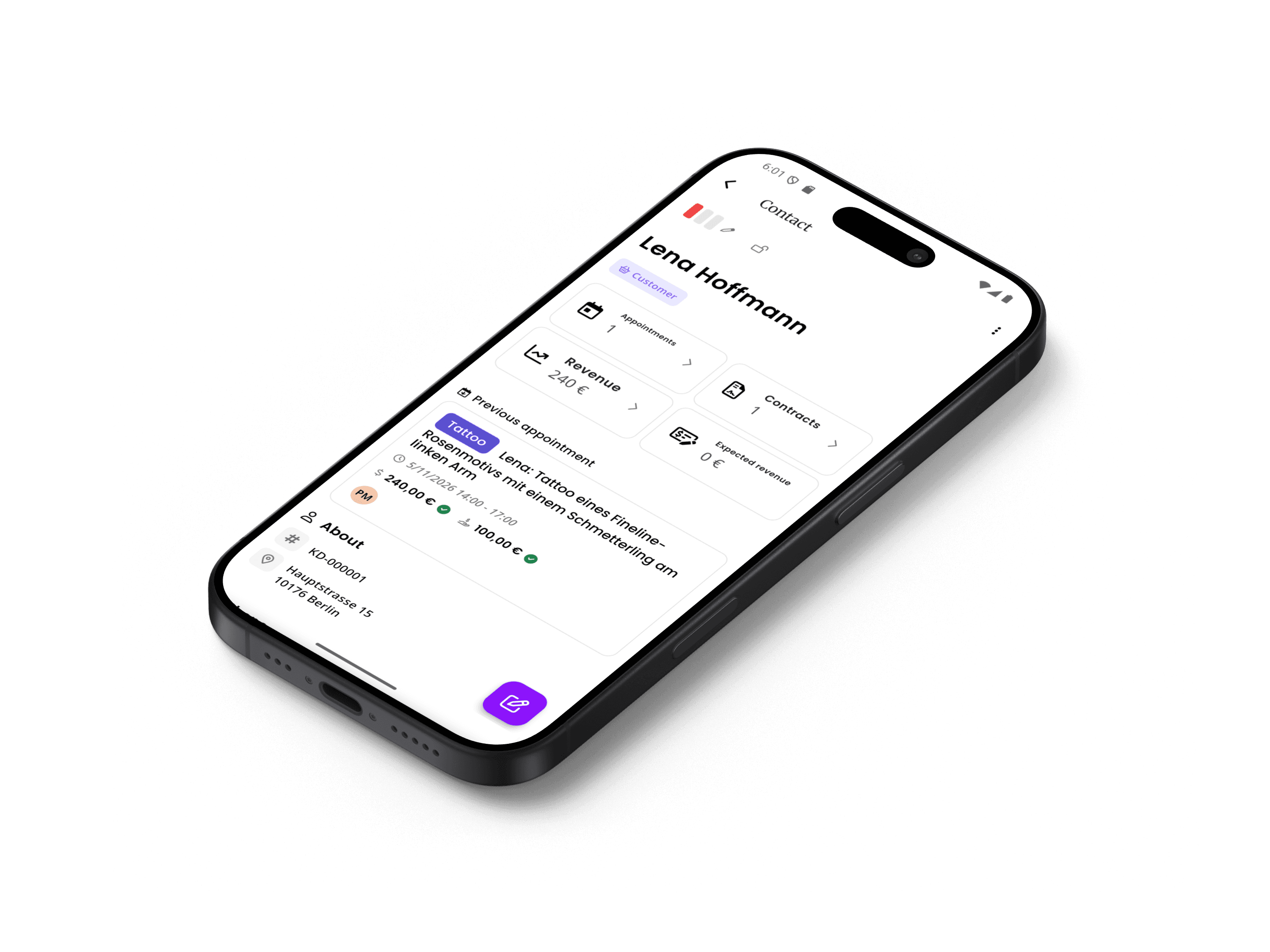
Add a client
Create a profile with contact details, tags, and communication preferences. Clients can also be created automatically when they book online.
Track everything
Every appointment, consent form, note, and interaction is recorded automatically. Build a complete picture of each client over time.
Build relationships
Use the full client history to provide personalized service. Know their preferences, past work, and status before they walk in.
A closer look at every feature
From complete profiles to strike tracking and consent management - here's exactly how each piece works to help you know your clients better.
Complete Client Profiles
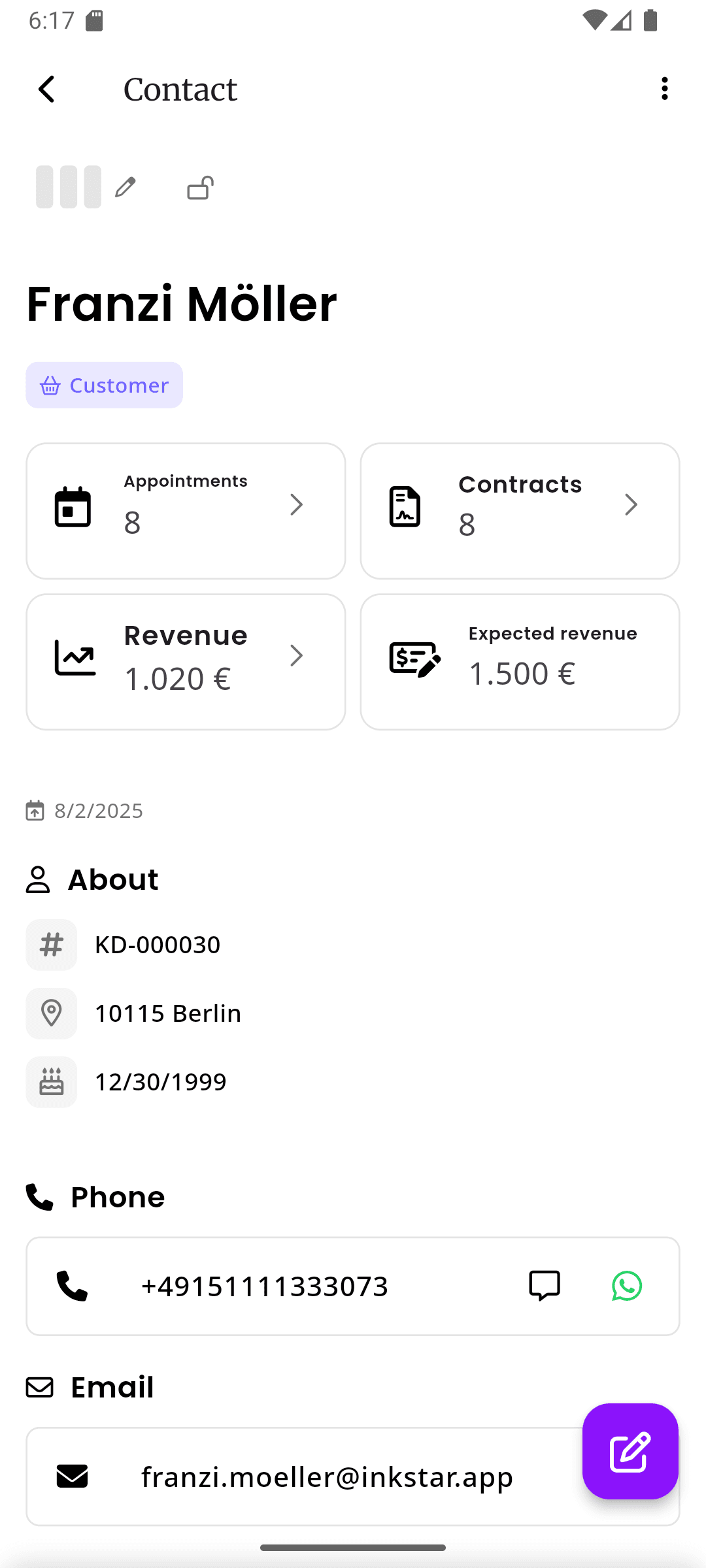
Every client gets a rich profile that stores all their information in one place. Contact details across multiple channels, custom tags for organization, communication preferences, and contact type classification. No more digging through DMs or flipping through notebooks to find a phone number.
- Phone, email, Instagram, and custom contact fields
- Custom tags for VIP clients, service preferences, and more
- Contact type classification (client, lead, supplier, etc.)
Strike System
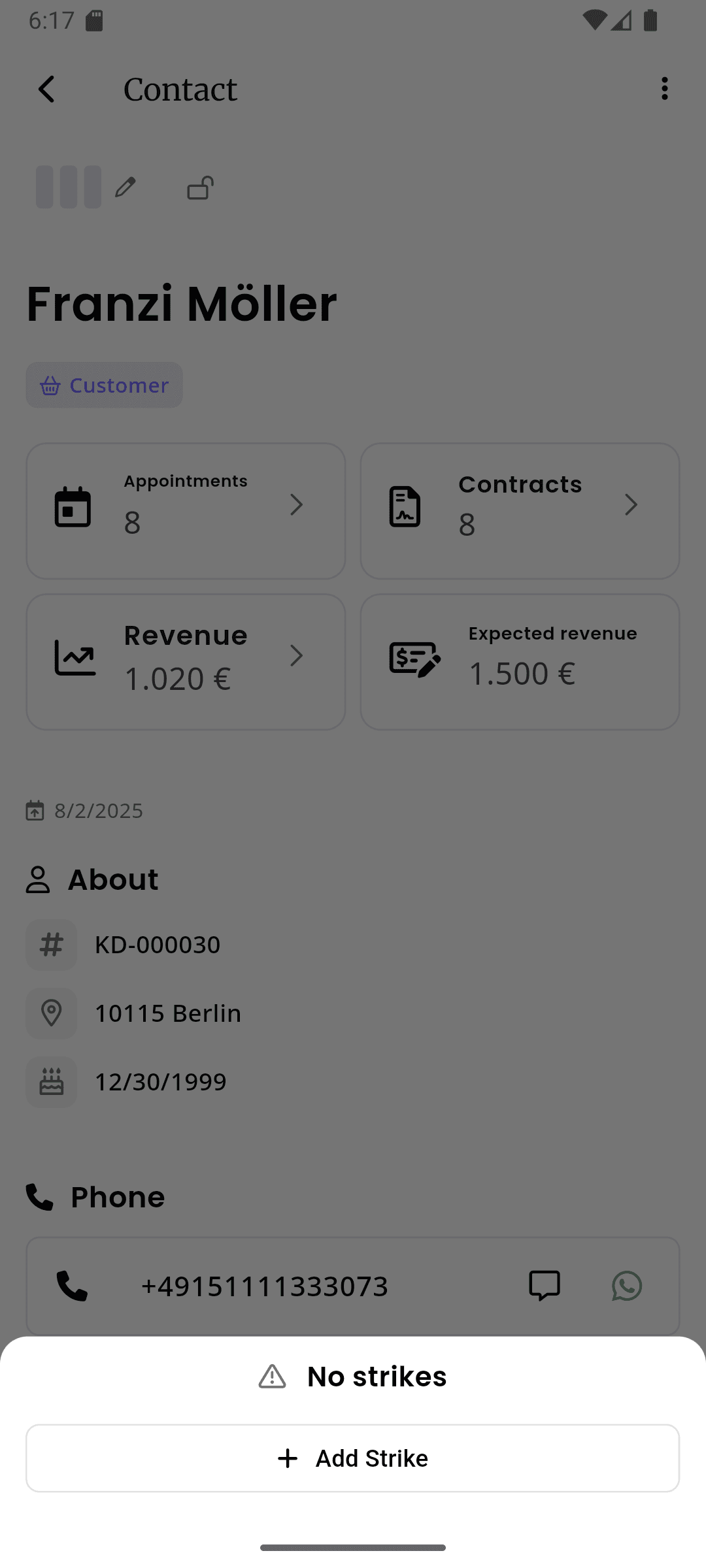
Automatically track cancellations and no-shows per client. Set a configurable maximum strike count for your studio - when a client hits the limit, they're flagged immediately. Strikes are recorded automatically when appointments are cancelled, so there's no extra work for you. You always know who your reliable clients are and who isn't.
- Automatic strike recording on appointment cancellation
- Configurable maximum strikes per studio
- Clear visual indicators for flagged clients
Client Locking
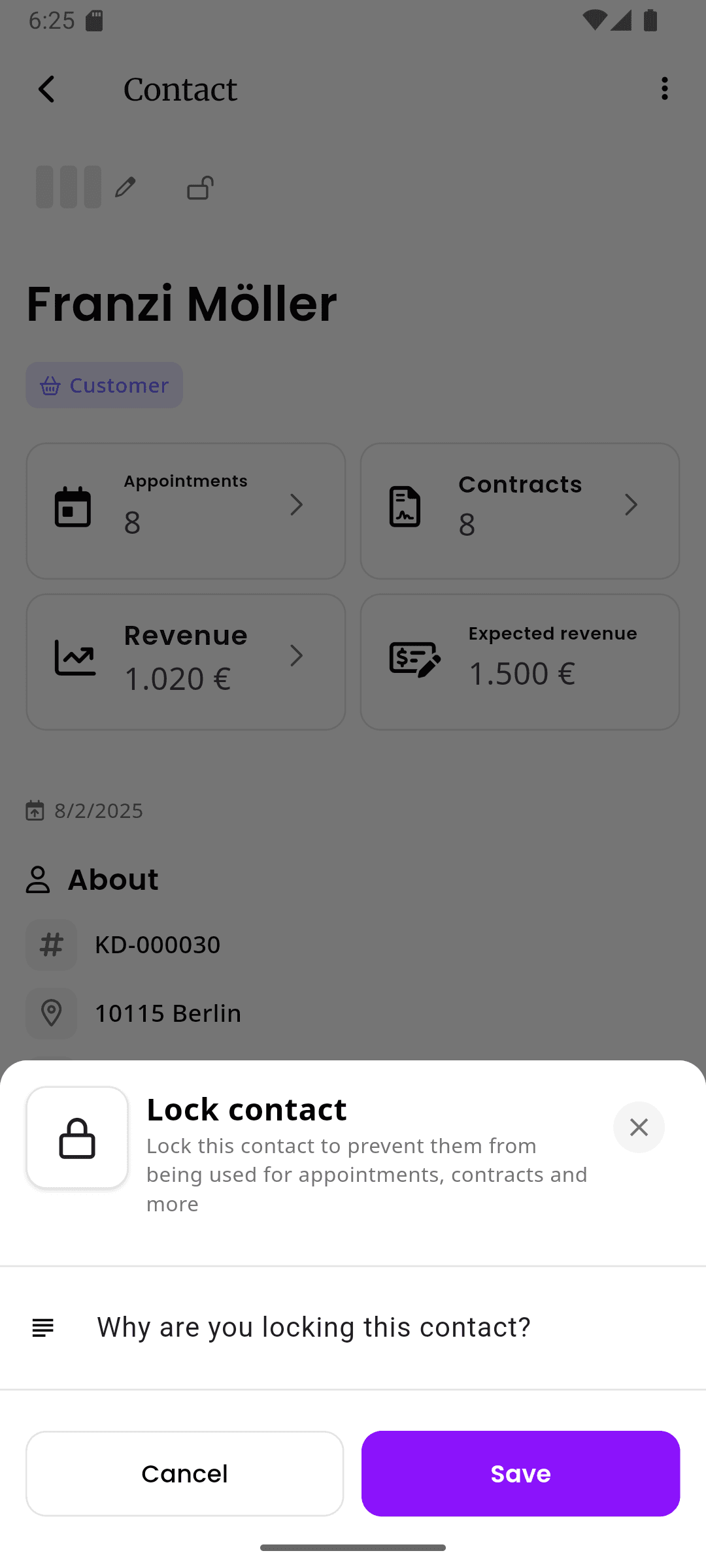
When a client crosses the line, lock their profile with a reason. Locked clients cannot book appointments through your online booking page or be booked manually until you decide to unlock them. The lock reason is visible to your team so everyone knows why. When you're ready to give them another chance, unlocking is one tap away.
- Lock with a reason visible to your entire team
- Prevents both online and manual bookings
- Unlock anytime when you're ready
Consent Management
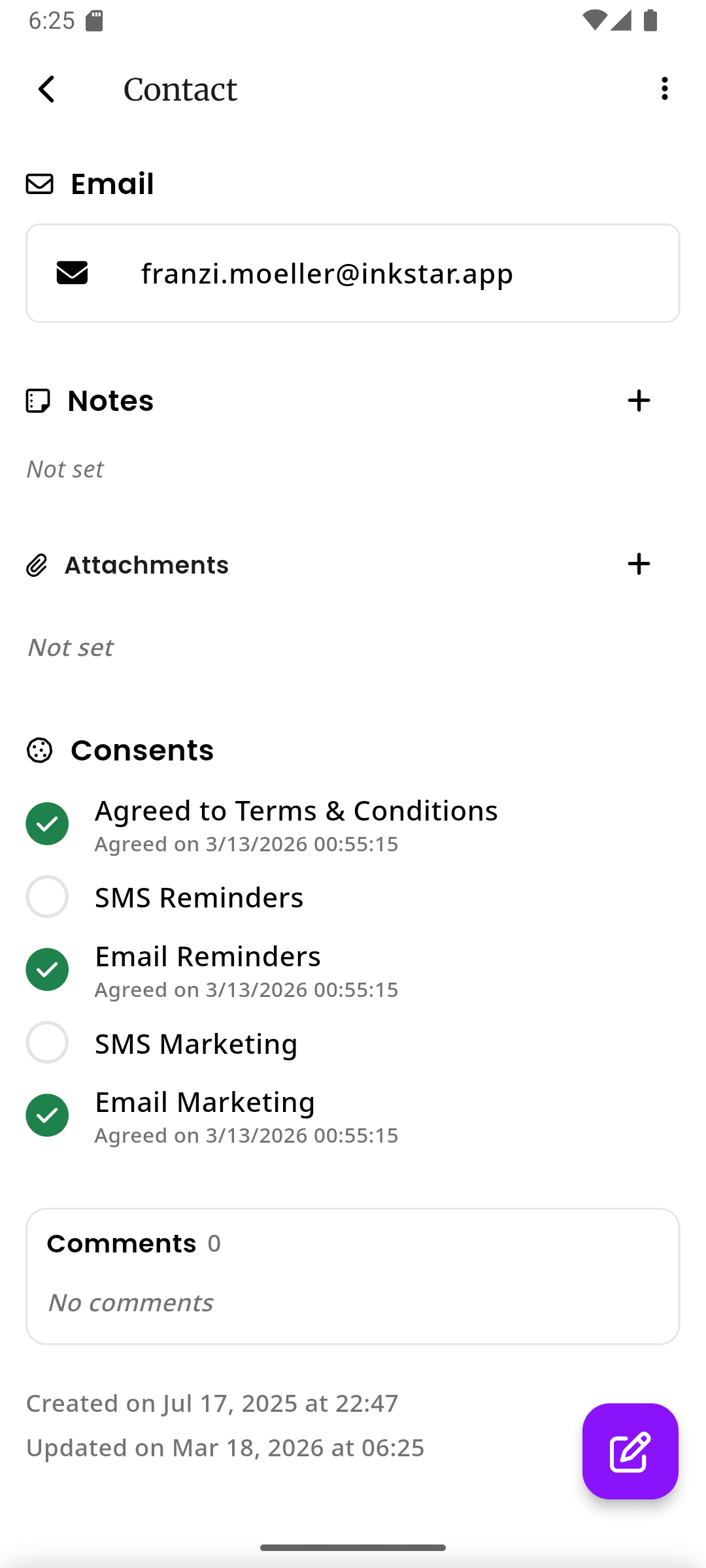
Track all five consent types for every client - general consent, photo release, medical questionnaire, aftercare acknowledgment, and data processing. Each consent is timestamped and stored with visual status indicators so you can see at a glance who has signed what. No more paper forms, no more guessing.
- Five distinct consent types with individual tracking
- Timestamped records with visual status indicators
- Digital signatures stored securely and accessible anytime
Notes & Activity History
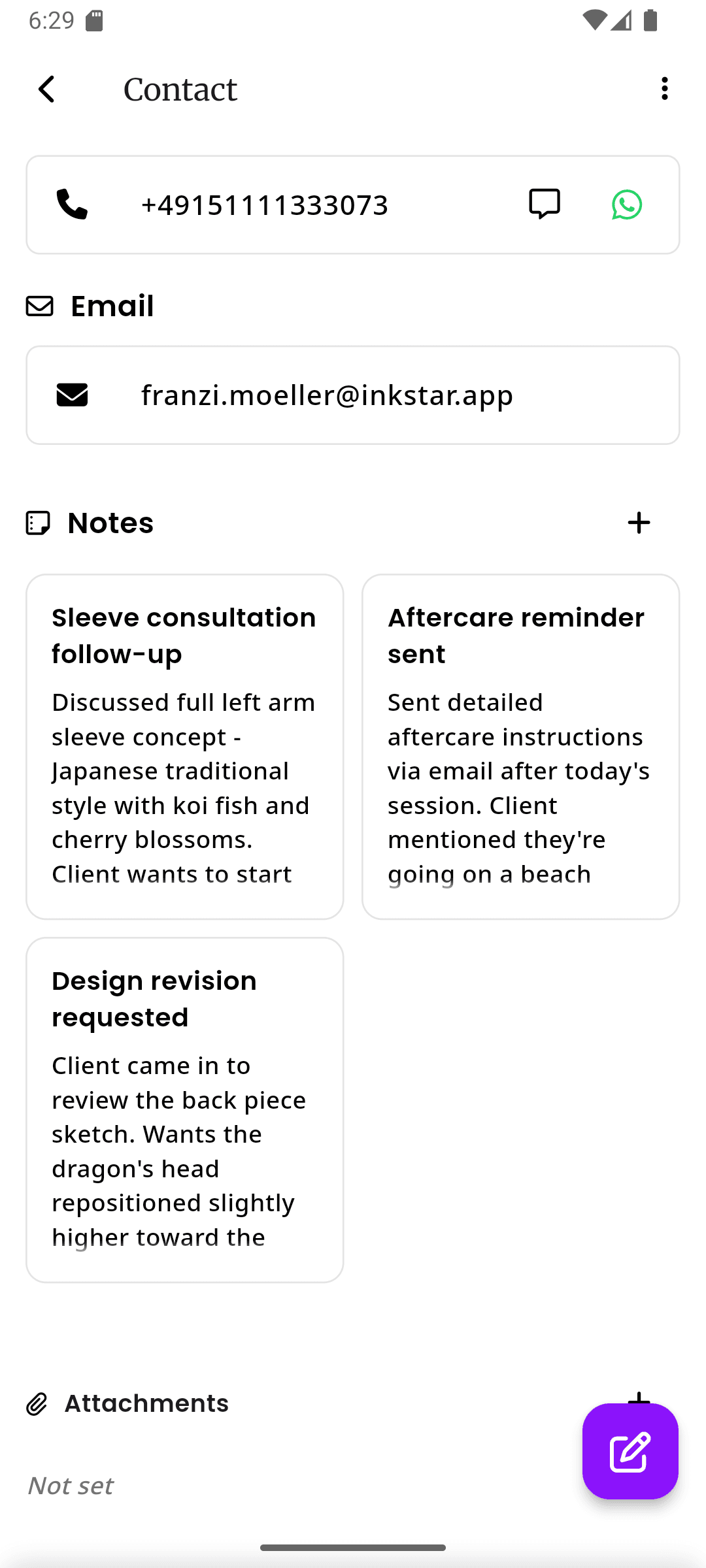
Add internal notes to any client profile - allergies, style preferences, personal details, anything that helps you provide better service. The activity history captures every interaction automatically: appointments booked, consent forms signed, profile changes, and more. It's a complete timeline of your relationship with each client.
- Private internal notes visible only to your team
- Automatic activity log for all client interactions
- Searchable history for quick reference
See the difference for yourself
Most studios still track client info on paper or use generic tools not built for the industry. See how inkStar compares.
Client Profiles
- Pen & Paper
- Scattered notes
- Generic CRM
- Generic contact cards
- inkStar
- Industry-specific profiles
Strike Tracking
- Pen & Paper
- Not possible
- Generic CRM
- Manual workarounds
- inkStar
- Automatic on cancellation
Client Locking
- Pen & Paper
- Mental notes only
- Generic CRM
- Not available
- inkStar
- Lock with reason + booking block
Consent Management
- Pen & Paper
- Paper forms get lost
- Generic CRM
- Not built-in
- inkStar
- 5 consent types, timestamped
Internal Notes
- Pen & Paper
- Sticky notes, easily lost
- Generic CRM
- Basic notes field
- inkStar
- Rich notes per client
Activity History
- Pen & Paper
- No records
- Generic CRM
- Email/call logs only
- inkStar
- Full interaction timeline
Revenue per Client
- Pen & Paper
- No tracking
- Generic CRM
- Requires setup
- inkStar
- Automatic per-client stats
Tags & Filtering
- Pen & Paper
- Not possible
- Generic CRM
- Complex to configure
- inkStar
- Custom tags, instant filter
Attachments
- Pen & Paper
- Physical photos only
- Generic CRM
- Generic file upload
- inkStar
- Photos & docs per client
Multi-Channel Contact
- Pen & Paper
- One phone number
- Generic CRM
- Email-focused
- inkStar
- Phone, email, social, all in one
What studio owners say about client profiles
See how real studio owners transformed their client management with inkStar's comprehensive profiles.
I finally know my clients before they walk in. No more awkward 'remind me what we discussed' moments.
With inkStar, I pull up a client's profile and instantly see their past sessions, preferences, allergies, and notes from previous visits. Clients notice the difference - they feel remembered and valued. My rebooking rate has improved significantly since I started using profiles consistently.
The strike system saved me from chronic no-shows. I wish I had this years ago.
I had a handful of clients who would book, not show up, and then book again a month later. With the strike system, it's all tracked automatically. After three strikes, they're flagged and I can decide whether to keep booking them. It's fair, transparent, and has cut my no-show rate dramatically.
Client locking is a game changer. No more dreading difficult appointments.
Every studio has those clients who are rude, refuse aftercare instructions, or cause problems. Before inkStar, they'd just book again online and I'd only realize when they showed up. Now I lock their profile with a reason, my whole team sees it, and they can't book. Simple, professional, and stress-free.
Frequently asked questions
Everything you need to know about managing client profiles with inkStar.
Each client profile stores contact details (phone, email, Instagram, address), custom tags, communication preferences, contact type, internal notes, consent records, appointment history, and revenue statistics. You can also attach photos and documents to any profile.
When a client cancels an appointment or doesn't show up, a strike is recorded automatically on their profile. You set a maximum strike count for your studio (e.g. 3 strikes). When a client reaches the limit, they're flagged in the system so you can decide how to handle them - whether that's a conversation, locking their profile, or giving them another chance.
Locked clients cannot book appointments through your online booking page, and your team will see a warning when trying to book them manually. You add a lock reason that's visible to your entire team. The client is not notified - it's an internal tool. You can unlock them at any time with one tap.
inkStar tracks five consent types: general consent, photo release, medical questionnaire, aftercare acknowledgment, and data processing consent. Each type is tracked individually with timestamps and digital signatures. You can see at a glance which consents are signed and which are missing for any client.
Yes. All client data is encrypted and stored in EU data centers. inkStar is designed for GDPR compliance - clients can request access to their data or request deletion, and you can fulfill those requests directly from the platform. Access to client profiles is controlled by your team's permission settings.
Yes. You can add clients manually one by one, or our support team can help you import clients in bulk from spreadsheets or other systems. Clients are also created automatically when they book through your online booking page for the first time.
Yes, client profiles are shared across your studio. Any team member can see a client's history, notes, consent status, and strike count. This means consistent service no matter who the client is booked with. You control team permissions to decide who can edit profiles, lock clients, or manage consent.
Every interaction with a client is logged automatically - appointments booked and completed, consent forms signed, profile changes, notes added, strikes recorded, and locks applied. The activity history is a chronological timeline that gives you the complete picture of your relationship with each client at a glance.
Still have questions? Chat with our team