
Your calendar is a constant headache
Between phone calls, DMs, double bookings, and empty gaps, scheduling eats up hours every week that you should be spending on clients.
Endless phone tag
Clients call when you're mid-session. You call back, they don't pick up. Back and forth for days just to book a single appointment.
3-5 hours lost per week on callsDouble bookings and overlaps
Two clients booked for the same slot because your paper calendar didn't sync with your DMs. Someone has to be rescheduled, and they're not happy about it.
1-2 angry clients per weekHours wasted on back-and-forth
Every booking takes 5-10 messages. Availability checks, time negotiations, confirmations. Multiply that by 20 clients a week and that's an entire workday gone.
8+ hours of admin per weekDM chaos across platforms
Booking requests come in via Instagram, WhatsApp, phone, and email. You're juggling four apps and still missing messages. Clients slip through the cracks.
Missed bookings every weekEmpty gaps that kill revenue
A 2-hour gap between appointments that's too short for a big piece but too long to sit idle. Those gaps add up fast across the week.
Up to 10 lost hours per weekPen and paper doesn't scale
What worked with 10 clients a week falls apart at 30. Paper calendars can't send reminders, fill gaps, or let clients self-book.
Growth limited by manual process
How inkStar fills your calendar
AI finds the best slots. Clients book themselves. Your calendar stays full without you lifting a finger.
Client picks a service
They visit your online booking page and select what they want - tattoo, PMU, piercing, or any custom service you offer.
AI suggests the best times
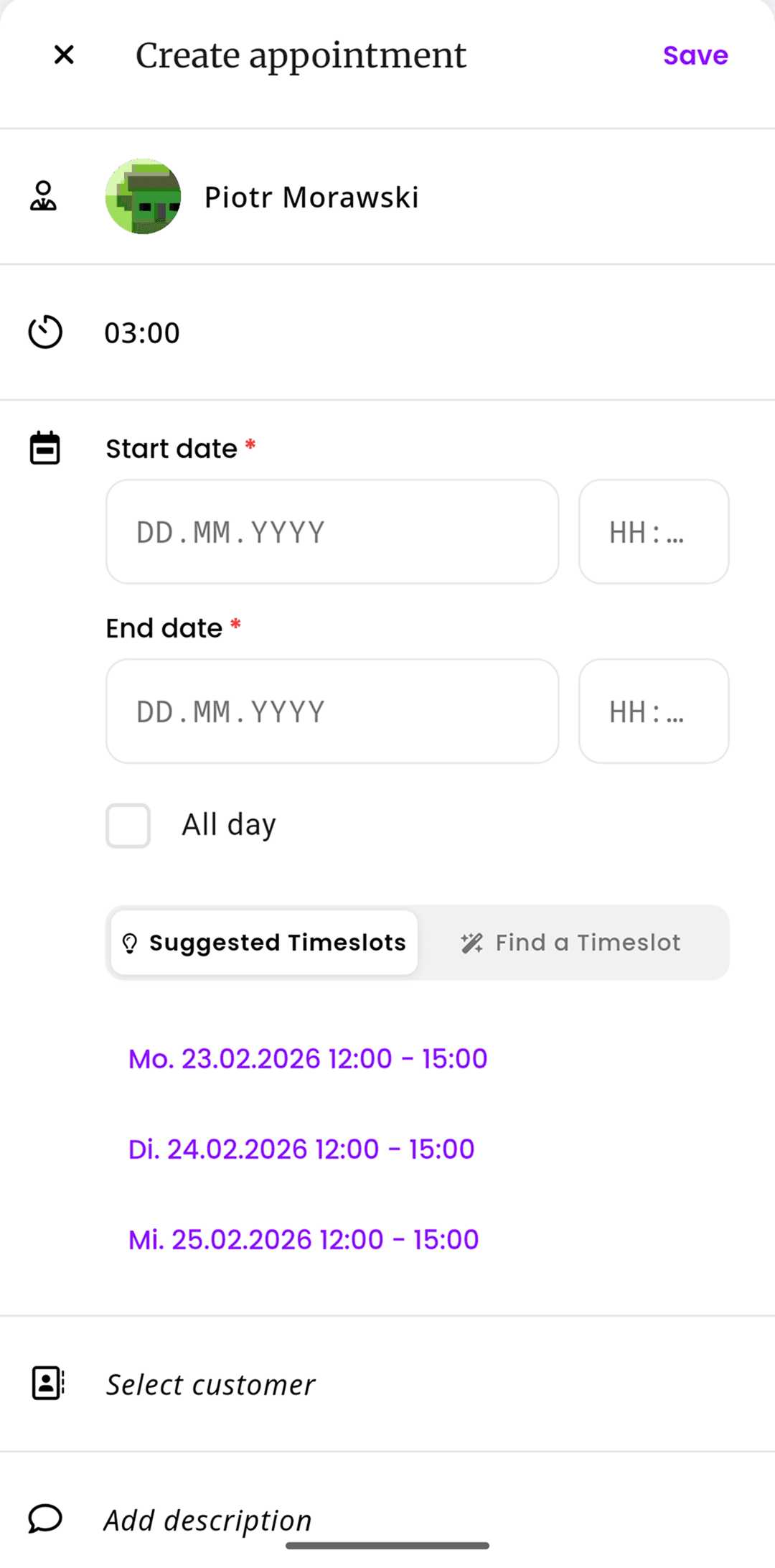
inkStar's AI analyzes your calendar, artist availability, and service duration to suggest optimal time slots - minimizing gaps and maximizing your day.
Booking confirmed instantly
The client picks a slot and the appointment is confirmed immediately. No calls, no DMs, no back-and-forth. It just works.
AI Timeslot Finder
The AI analyzes your entire schedule and suggests slots that minimize gaps and maximize productivity.
Online Booking Page
Your own branded booking page where clients book 24/7 without calling or messaging you.
Color-Coded Calendar
See your entire schedule at a glance with color-coded appointment types and artist assignments.
Calendar Sync
Two-way sync with Google Calendar and Apple Calendar so you're never double-booked.
Multi-Employee Scheduling
Manage schedules for your entire team. Each artist has their own calendar and availability settings.
Waitlist Management
When a slot opens up, waitlisted clients are notified automatically. Gaps get filled without you doing anything.
Appointment Type Config
Define custom appointment types with different durations, prices, and required resources.
Gap Filling
AI identifies empty gaps and suggests shorter appointments or walk-in slots to maximize your revenue.
A closer look at every feature
From AI-powered time slot suggestions to multi-artist calendars - here's exactly how each piece works to keep your schedule full.
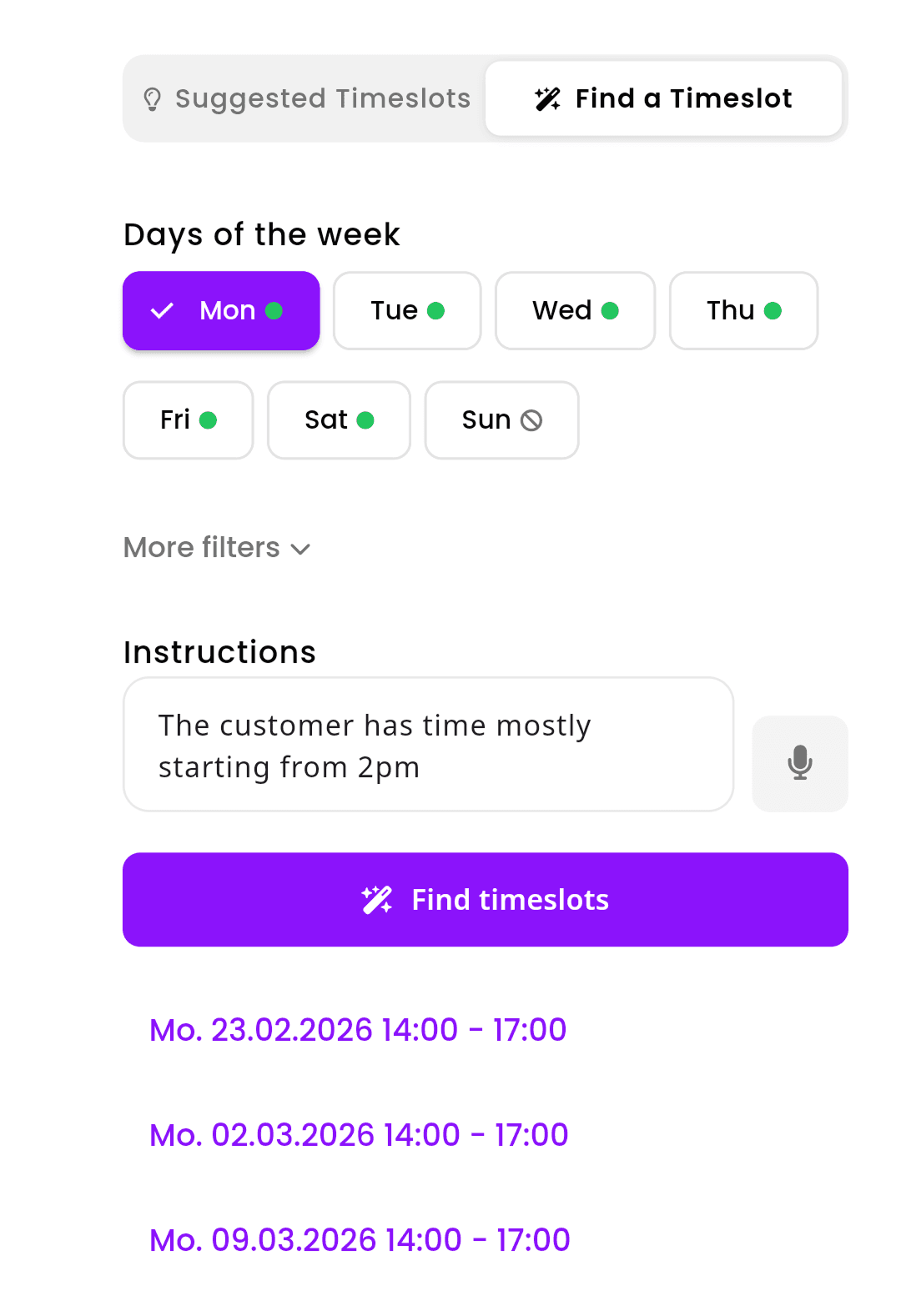
AI Timeslot Finder
When you create an appointment, inkStar's AI scans your entire calendar and suggests the best available slots. It considers service duration, buffer times, artist preferences, and existing bookings to find times that minimize gaps and keep your day flowing smoothly.
- Analyzes your full calendar to minimize gaps
- Considers service duration and buffer times
- Learns your preferences over time
Online Booking Page
Give clients your booking link and let them book themselves 24/7. They see your real-time availability, pick a service, choose a time slot, and confirm - all without a single message or phone call. Your booking page matches your brand and works perfectly on mobile.
- Clients book 24/7 without calling or messaging
- Real-time availability synced with your calendar
- Branded page that matches your studio's look
Calendar Sync
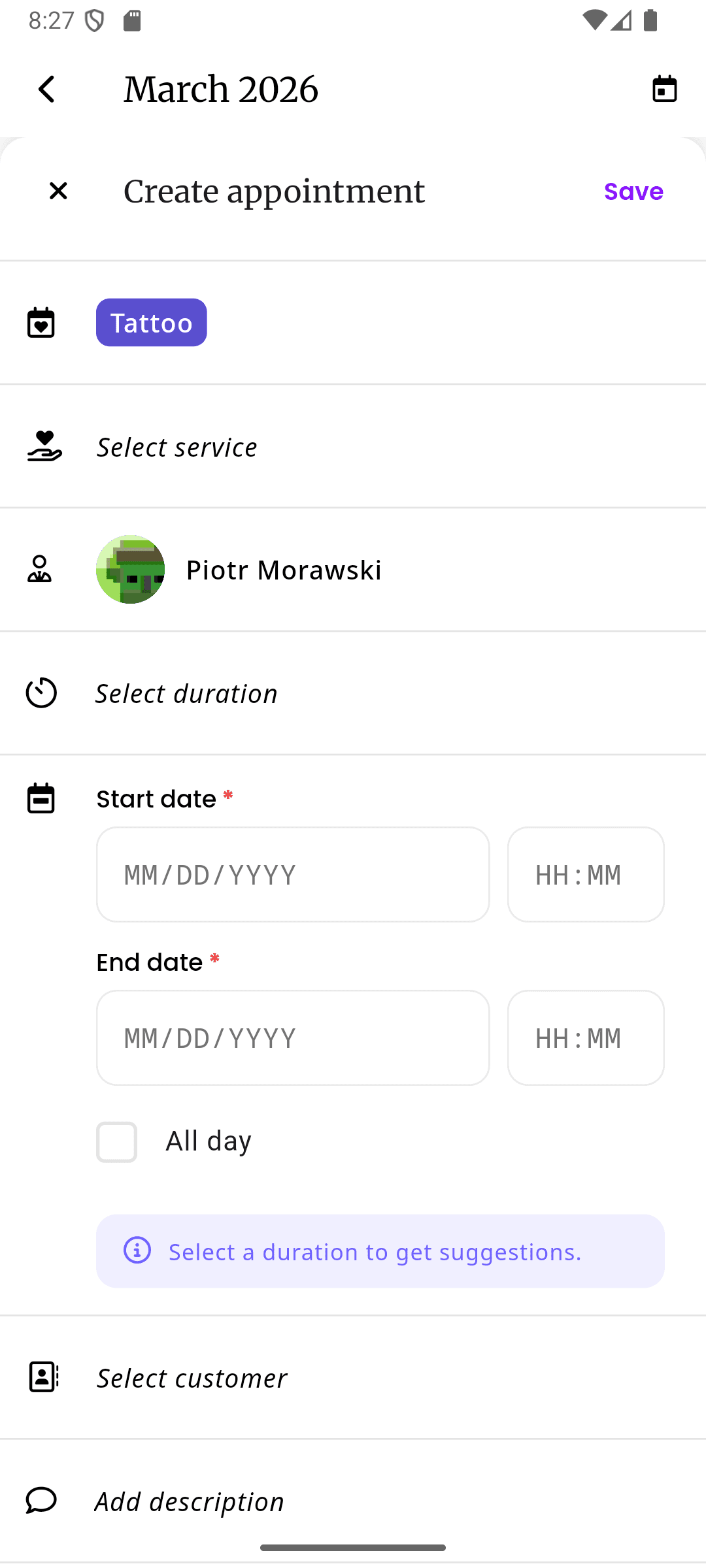
Two-way sync with Google Calendar and Apple Calendar means your personal events and studio appointments live in one place. Book a dentist appointment on Google Calendar, and that time is automatically blocked on inkStar. No more double bookings across calendars.
- Two-way sync with Google and Apple Calendar
- Personal events automatically block studio time
- Changes sync instantly across all devices
Multi-Employee Scheduling
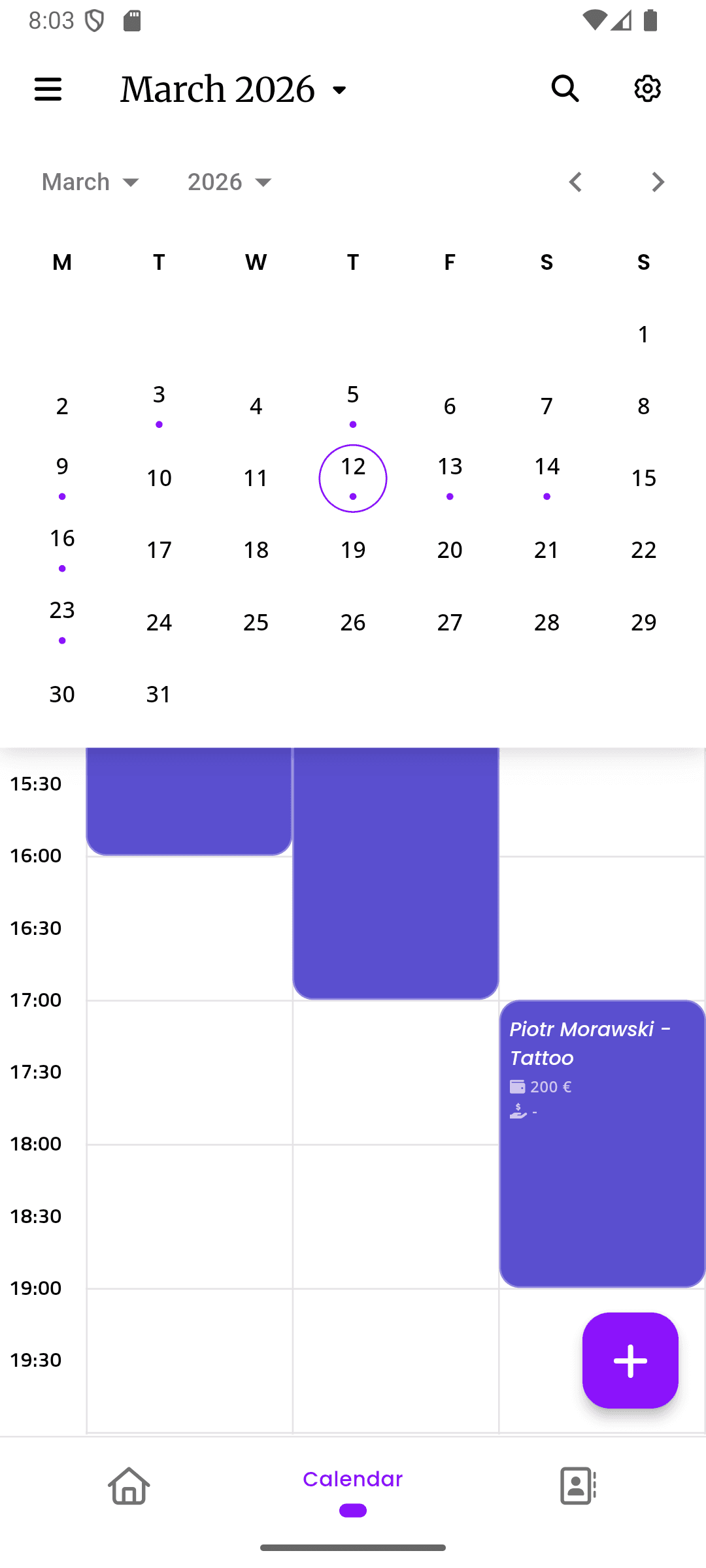
Each artist in your studio gets their own calendar with individual availability, working hours, and service assignments. Clients booking online see only the available slots for their chosen artist. You get a bird's-eye view of everyone's schedule in one place.
- Individual calendars per artist with custom availability
- Bird's-eye view of your entire team's schedule
- Clients choose their preferred artist when booking
Appointment Types & Configuration
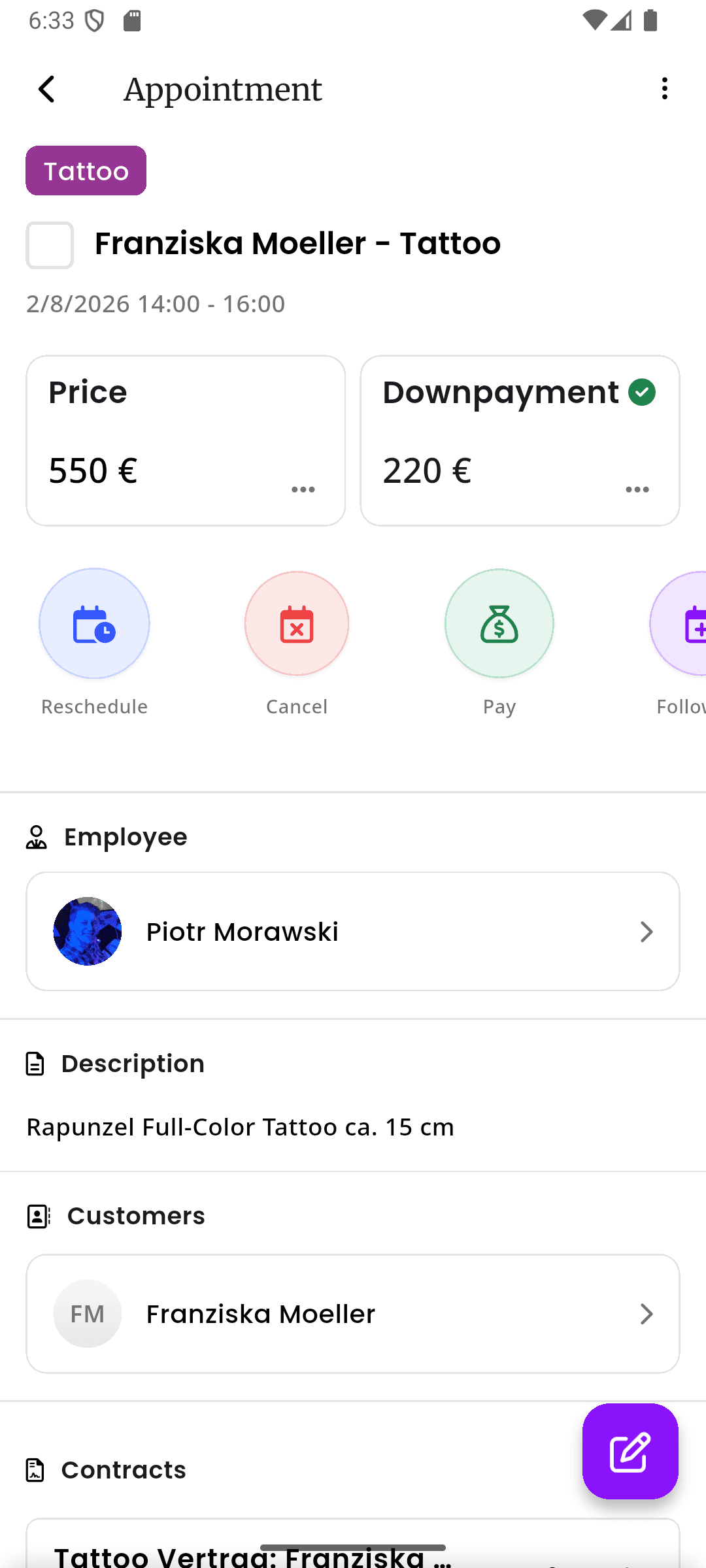
Define exactly how your studio works. Create custom appointment types with specific durations, prices, buffer times, and required resources. A full sleeve session is different from a small flash tattoo - inkStar handles both with the right settings for each.
- Custom durations, prices, and buffer times per service
- Resource requirements (chairs, rooms, equipment)
- Different settings for consultations vs. full sessions
See the difference for yourself
Most studios still schedule by hand or use generic tools not built for the industry. See how inkStar compares.
| Feature | Pen & Paper Notebook + phone | Generic Tools Calendly, Google Cal | inkStar Built for studios |
|---|---|---|---|
| AI Timeslot Suggestions | Not possible | Not available | AI finds optimal slots |
| Online Client Booking | Phone/DM only | Basic booking page | Branded studio page |
| Calendar Sync | Manual entry | One-way sync | Two-way Google + Apple |
| Multi-Artist Scheduling | Separate notebooks | Separate accounts | Unified team calendar |
| Gap Detection & Filling | Not possible | Not available | AI fills gaps automatically |
| Waitlist Management | Mental notes | Not available | Automatic notifications |
| Appointment Types | All look the same | Basic categories | Full customization |
| Industry-Specific Features | None | Generic only | Built for tattoo/PMU |
| Setup Time | None needed | Hours of configuration | Less than 5 minutes |
| Weekly Time Saved | 0 hours (all manual) | 2-3 hours | 8-10 hours |
AI Timeslot Suggestions
- Pen & Paper
- Not possible
- Generic Tools
- Not available
- inkStar
- AI finds optimal slots
Online Client Booking
- Pen & Paper
- Phone/DM only
- Generic Tools
- Basic booking page
- inkStar
- Branded studio page
Calendar Sync
- Pen & Paper
- Manual entry
- Generic Tools
- One-way sync
- inkStar
- Two-way Google + Apple
Multi-Artist Scheduling
- Pen & Paper
- Separate notebooks
- Generic Tools
- Separate accounts
- inkStar
- Unified team calendar
Gap Detection & Filling
- Pen & Paper
- Not possible
- Generic Tools
- Not available
- inkStar
- AI fills gaps automatically
Waitlist Management
- Pen & Paper
- Mental notes
- Generic Tools
- Not available
- inkStar
- Automatic notifications
Appointment Types
- Pen & Paper
- All look the same
- Generic Tools
- Basic categories
- inkStar
- Full customization
Industry-Specific Features
- Pen & Paper
- None
- Generic Tools
- Generic only
- inkStar
- Built for tattoo/PMU
Setup Time
- Pen & Paper
- None needed
- Generic Tools
- Hours of configuration
- inkStar
- Less than 5 minutes
Weekly Time Saved
- Pen & Paper
- 0 hours (all manual)
- Generic Tools
- 2-3 hours
- inkStar
- 8-10 hours
What studio owners say about smart scheduling
See how real studio owners transformed their scheduling with inkStar's AI-powered calendar.
The AI suggestions are scarily good. It finds slots I would never have thought of.
I used to spend 30 minutes every morning shuffling appointments around to minimize gaps. Now the AI does it for me. It even considers travel time between my two studio locations. Last month it saved me at least 6 hours of admin work.
Online booking changed my life. Clients book at 2am and I wake up to a full calendar.
Before inkStar, I'd spend my evenings answering DMs and playing phone tag. Now clients just go to my booking page and pick a slot. My booking rate actually went up because people can book the moment they decide they want a tattoo - not three days later when they finally reach me.
Managing 4 artists used to be a nightmare. Now I see everyone's schedule in one place.
With paper calendars, I had no idea what my team's week looked like without walking around the studio. Now I open inkStar and see everyone's bookings, availability, and gaps at a glance. When a client asks for the next available slot with any artist, I have the answer in seconds.
Frequently asked questions
Everything you need to know about smart scheduling with inkStar's AI-powered calendar system.
When you create a new appointment, the AI analyzes your entire calendar - existing bookings, buffer times, artist availability, and service duration - to suggest optimal time slots. It prioritizes slots that minimize gaps between appointments and keep your day flowing efficiently. The more you use it, the better it gets at understanding your preferences.
You get a unique booking page URL that you can share on your website, Instagram bio, or anywhere else. Clients visit the page, choose a service and artist, see real-time availability, and book a slot - all without contacting you. The booking is confirmed instantly and appears on your calendar. You can customize the page to match your studio's branding.
Yes - two-way sync with both Google Calendar and Apple Calendar. When you add a personal event to Google Calendar, it automatically blocks that time on inkStar. When a client books through inkStar, it appears on your synced calendar. Changes sync instantly, so you're never double-booked across calendars.
Each artist in your studio gets their own calendar with individual working hours, availability windows, and service assignments. When clients book online, they see only the available slots for their chosen artist. As a studio owner, you get a unified view of everyone's schedule in one place, making it easy to manage your entire team.
When all slots for a particular service or artist are booked, clients can join the waitlist. If an appointment is cancelled or rescheduled, waitlisted clients are automatically notified via their preferred channel (SMS, email, or WhatsApp) with a link to book the newly available slot. First come, first served.
Yes. You can define as many appointment types as you need - each with its own duration, price, buffer time, color code, and required resources. For example, a consultation might be 30 minutes with no buffer, while a full sleeve session is 4 hours with a 30-minute buffer. Each type can be assigned to specific artists.
Getting started takes less than 5 minutes. Set up your services, working hours, and team members, and you're ready to go. If you have existing appointments in another system, our support team can help you import them. There's no downtime - you can run both systems in parallel until you're comfortable switching fully.
Absolutely. Your booking page can be customized with your studio logo, colors, and branding. Calendar settings include working hours per artist, buffer times between appointments, advance booking limits, and which services are available for online booking. You control exactly what clients see and can book.
Still have questions? Chat with our team