Intake forms.
Consent, waivers, and client details in one flow.
Build online client intake forms for tattoo studios, salons, PMU artists, and piercing professionals. Capture digital tattoo consent forms, health screening waiver fields, allergy fields, medical history fields, digital waivers, QR signatures, and customer profile updates before the appointment.
Paper intake forms are a ticking time bomb
One lost client intake form, one illegible signature, one missing allergy field - and your studio is exposed. Paper consent is a liability disguised as a process.
Wednesday
11:32 AM
Paper intake forms get lost or damaged
A single coffee spill or a misplaced folder, and months of signed consent forms, digital waivers, and client questionnaires are gone. When a dispute arises, you have nothing to show for it.Illegible handwriting causes critical errors
Clients rush through forms in the waiting area. Allergies misspelled, medical history fields skipped, phone numbers unreadable - you're making decisions based on information you can't even read.No verifiable proof of informed consent
A scribble on a piece of paper won't hold up when a client claims they were never informed about risks. Without timestamps or digital verification, it's your word against theirs.GDPR non-compliance with paper storage
Forms sitting in filing cabinets with no access controls, no encryption, and no audit trail - a violation waiting to happen, with fines up to 4% of annual revenue.Hours wasted on manual form management
Printing intake forms, handing them out, collecting them, filing them, searching through cabinets when you need one. All that time could be spent on clients.
One missing form is bad luck. A pattern is a liability.
What intake forms can collect
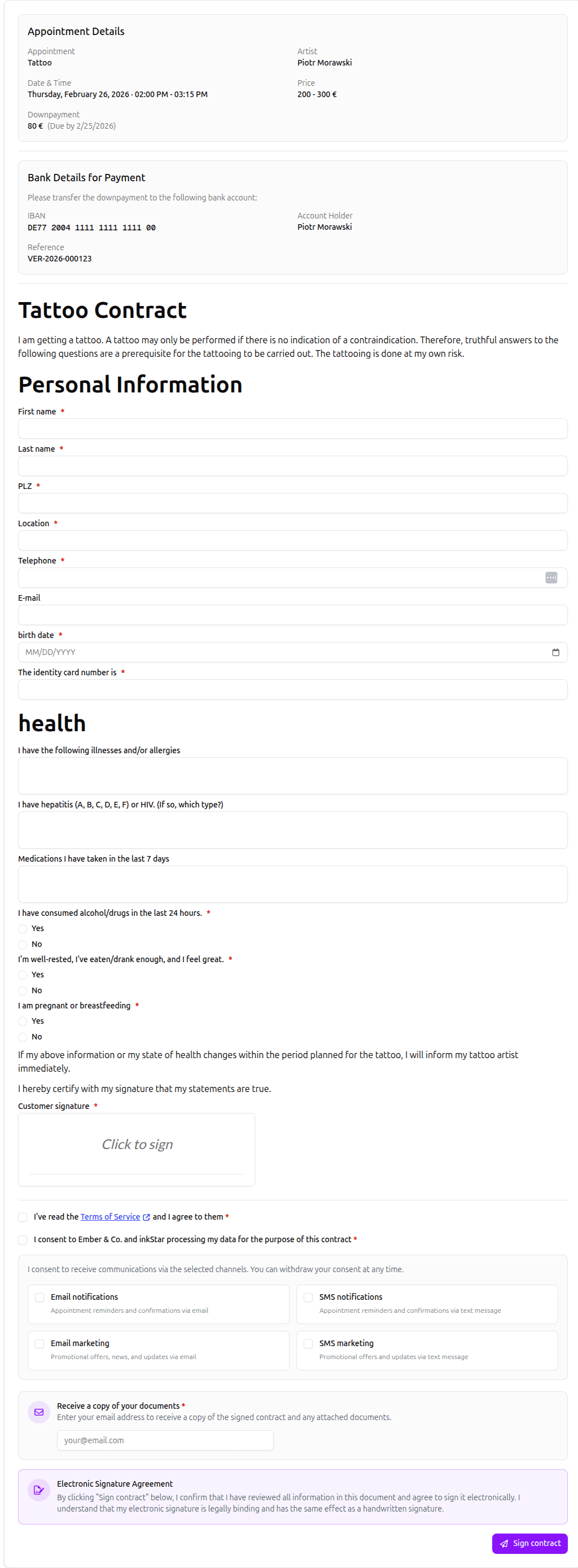
Use one mobile-friendly intake form to collect the client details, consultation answers, health screening, digital waivers, and signatures your appointment actually needs.
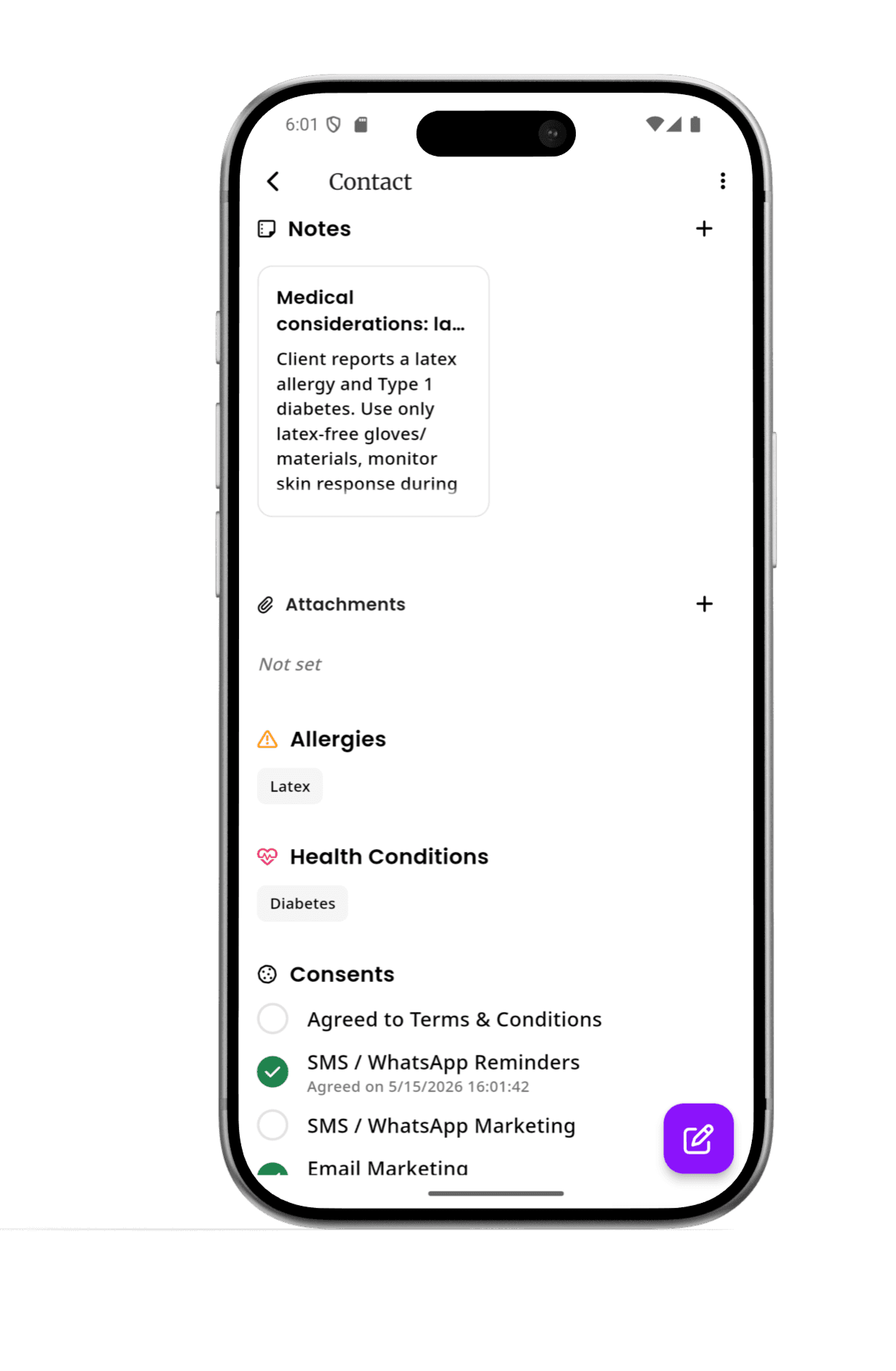
Health screening, allergy, and medical history fields
The fields that matter most before a tattoo, PMU, piercing, or chemical service, built into every template instead of scribbled on a clipboard.
- Skin conditions, contraindications, and recent procedures, screened before the appointment starts
- Allergies to ink, pigment, latex, adhesive, nickel, and medication, flagged clearly for the artist
- Pregnancy, breastfeeding, blood conditions, and medication disclosures
- Patch test records and pre-service risk acknowledgements
- Yes/no and multiple-choice fields, so answers are consistent instead of handwriting to decipher
- Every answer syncs to the client's profile and is ready to review before their next visit
Client details
Start every client intake form with the essentials your team needs before a booking.
- Full name, preferred name, date of birth, and contact details
- Emergency contact and preferred communication method
Returning clients do not have to fill out the entire intake form every time
After a client completes an intake form once, inkStar associates the answers with their customer profile. For the next appointment, they can review the saved allergy fields, medical history fields, contact details, consent preferences, and waiver data, confirm everything is still up to date, and only change what has changed. Your studio keeps a current profile without making loyal clients repeat the same paperwork at every visit.
Everything you need for paperless intake forms
From a powerful template editor to encrypted storage with full audit trails - here's how inkStar replaces paper intake forms, consent forms, and digital waivers for good.
Custom intake form templates
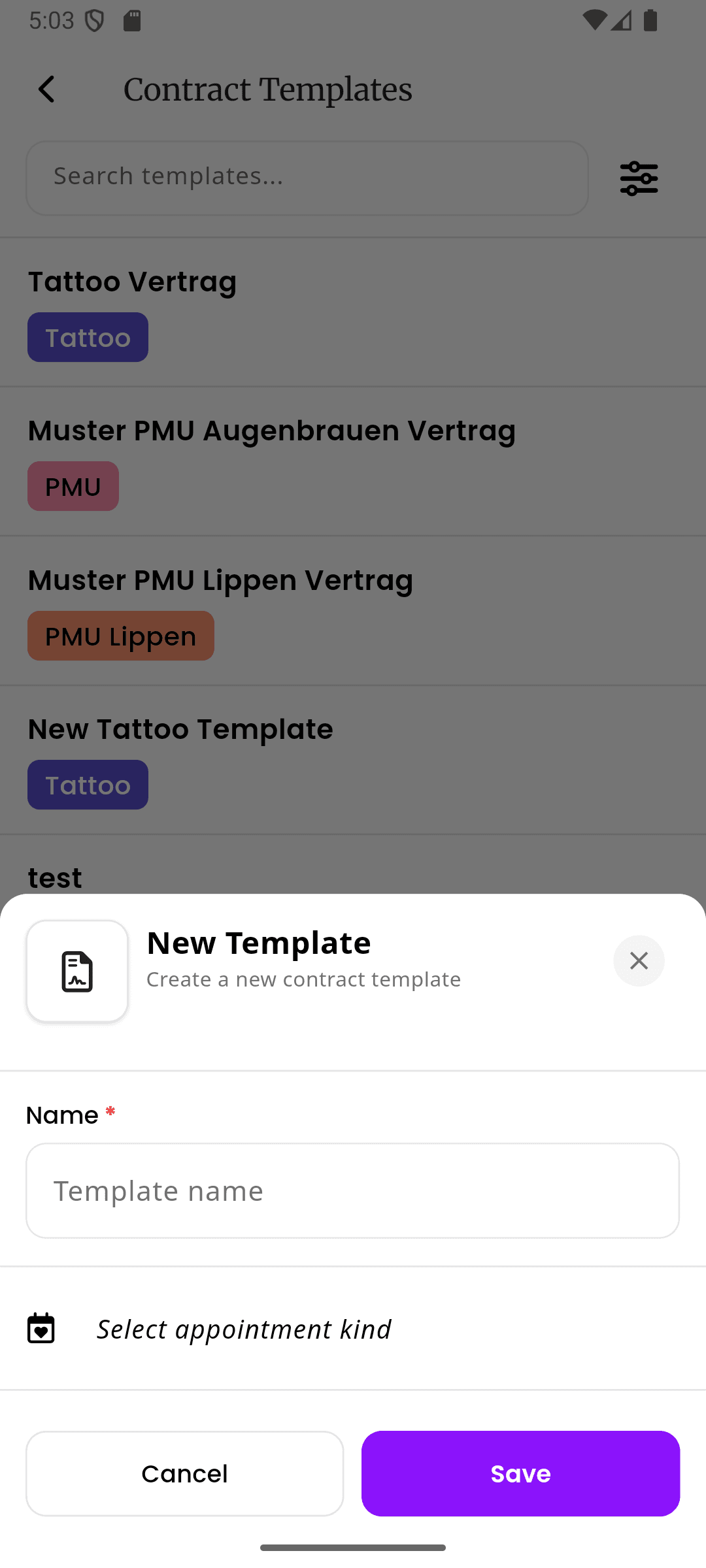
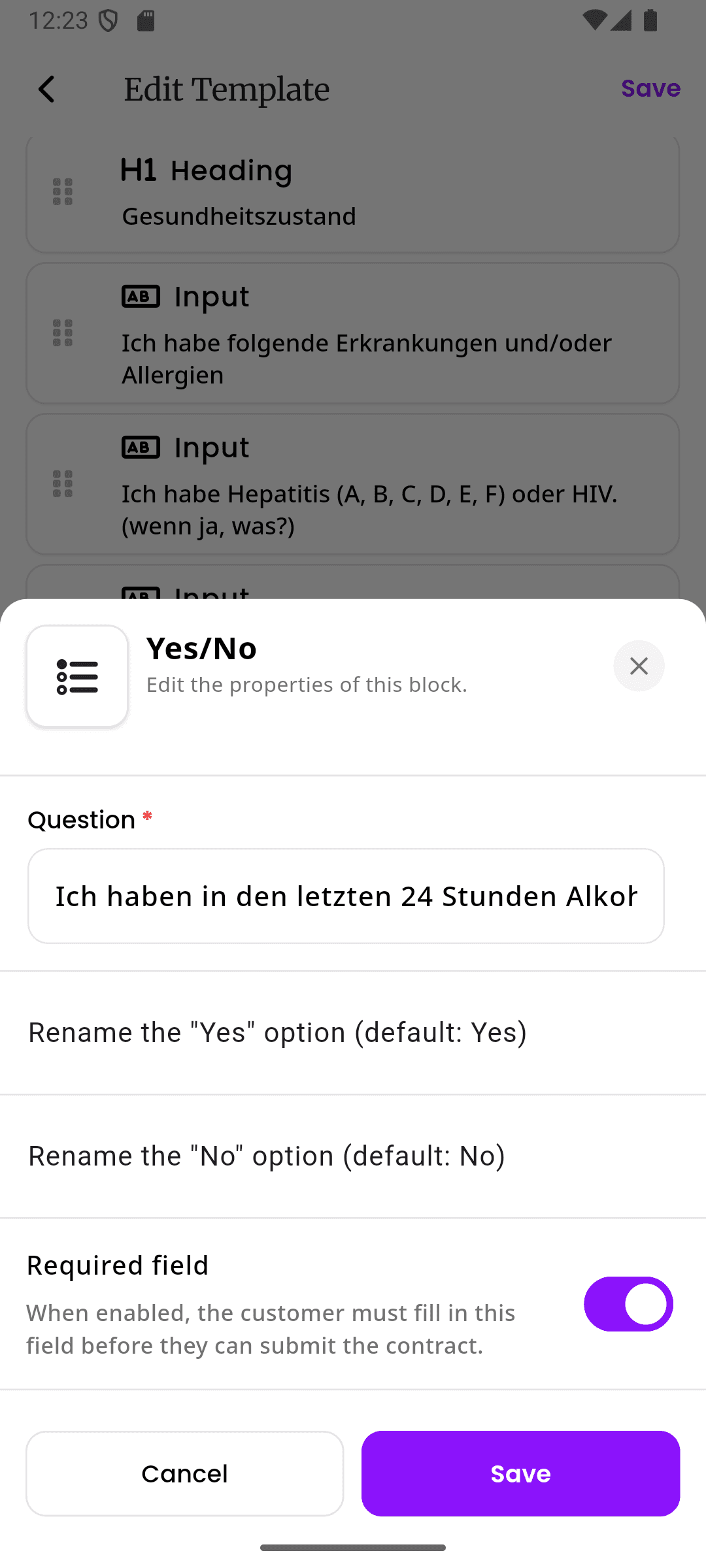
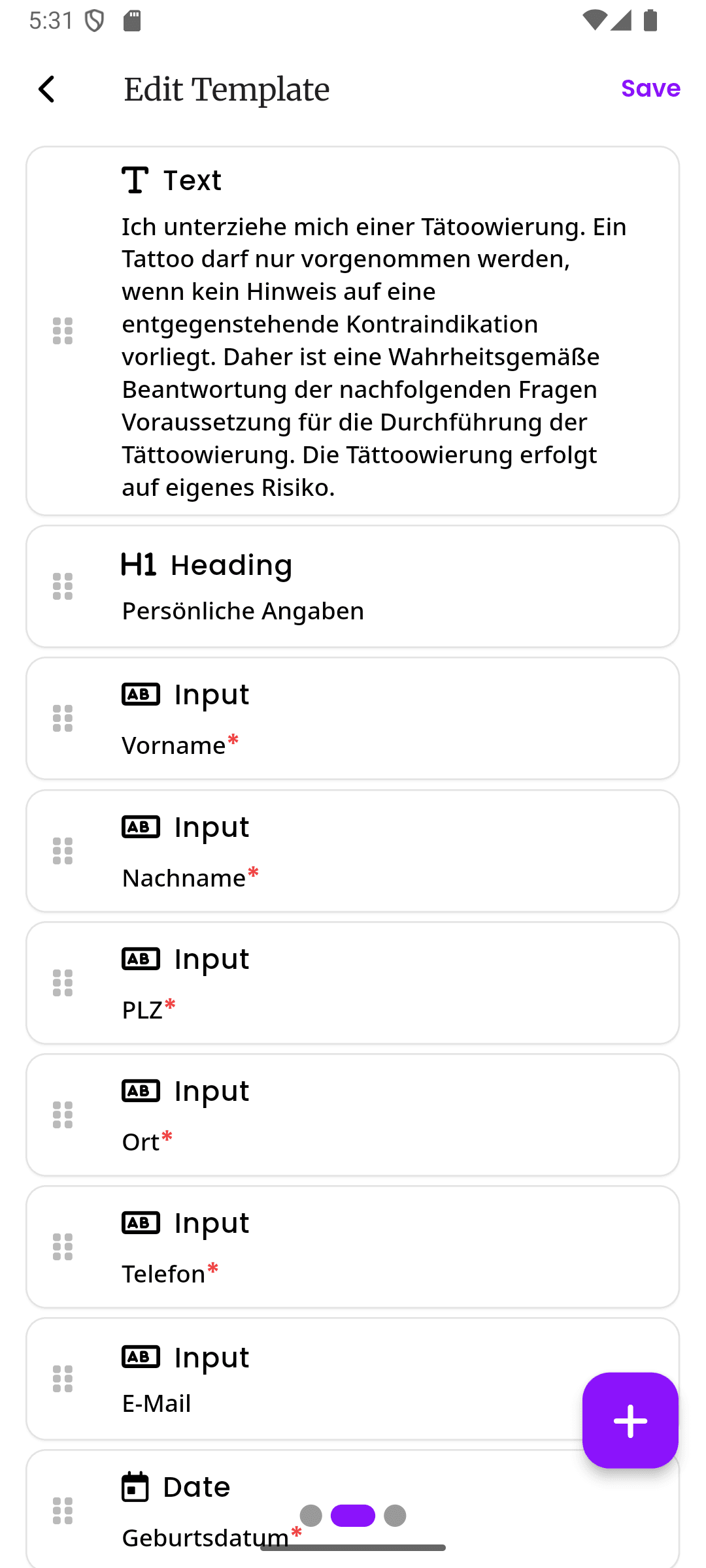
Build an intake form that matches your studio's exact needs. The block editor lets you drag and drop text paragraphs, checkboxes, signature fields, date pickers, health screening waiver fields, allergy fields, medical history fields, medical questionnaires, and digital tattoo release form clauses. Reorder sections, add conditional logic, and preview exactly what clients will see on their phone.
- Drag-and-drop block editor with live preview
- Pre-built fields for signatures, allergies, medical history, and health screening
- Duplicate and version templates as your needs evolve
Per-service intake forms
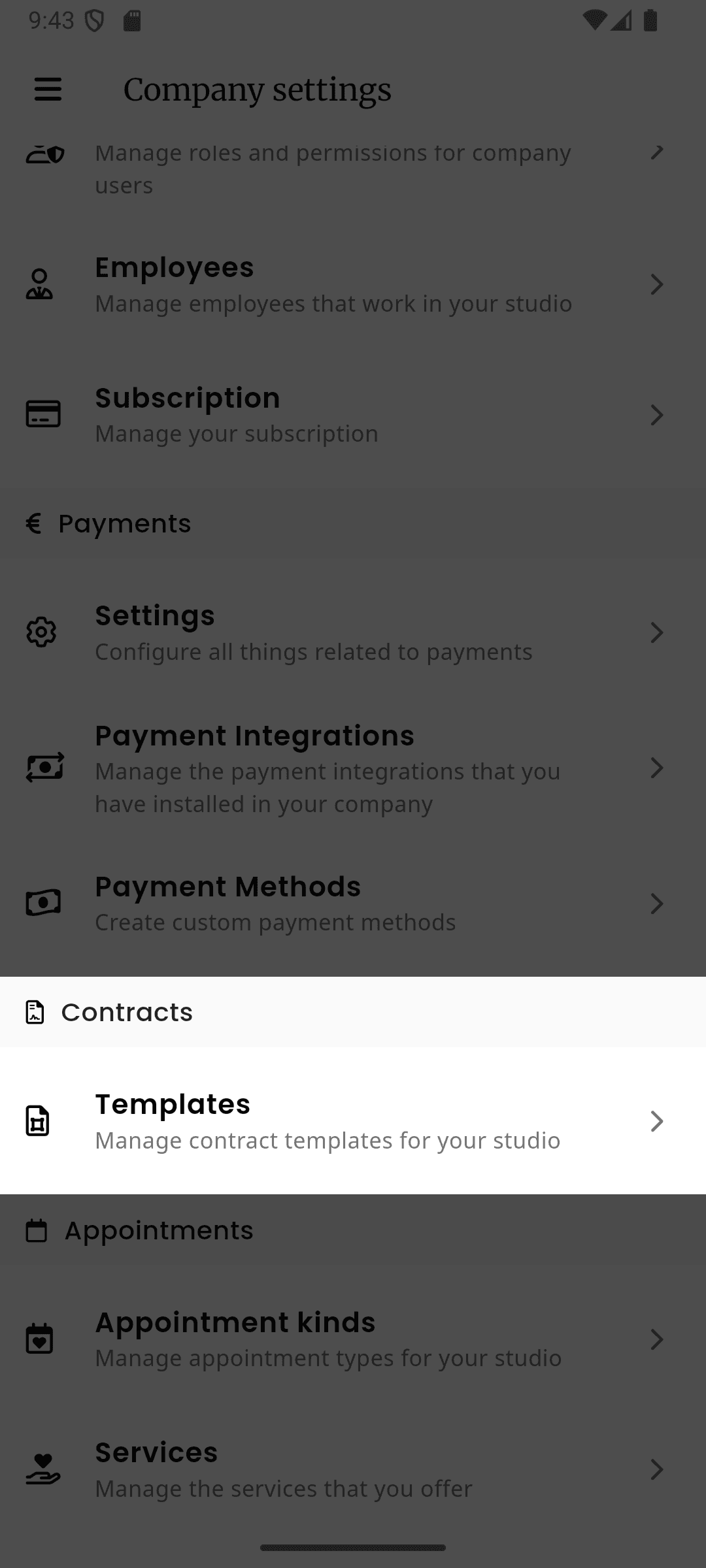
Assign different intake forms to different service types. A tattoo session needs a full medical questionnaire and aftercare agreement. A salon color service may need allergy fields and treatment history. A PMU touchup might only need a photo release. Set it once, and the right form is always attached to the right booking.
- Link specific templates to specific service types
- Multiple forms per service when needed
- Auto-attached when clients book online
QR Code Signing
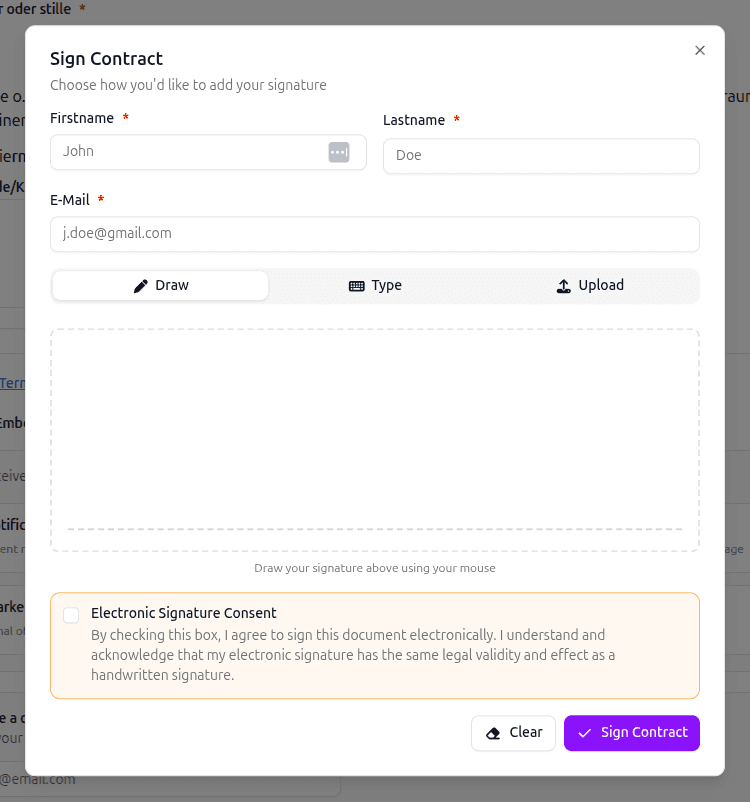
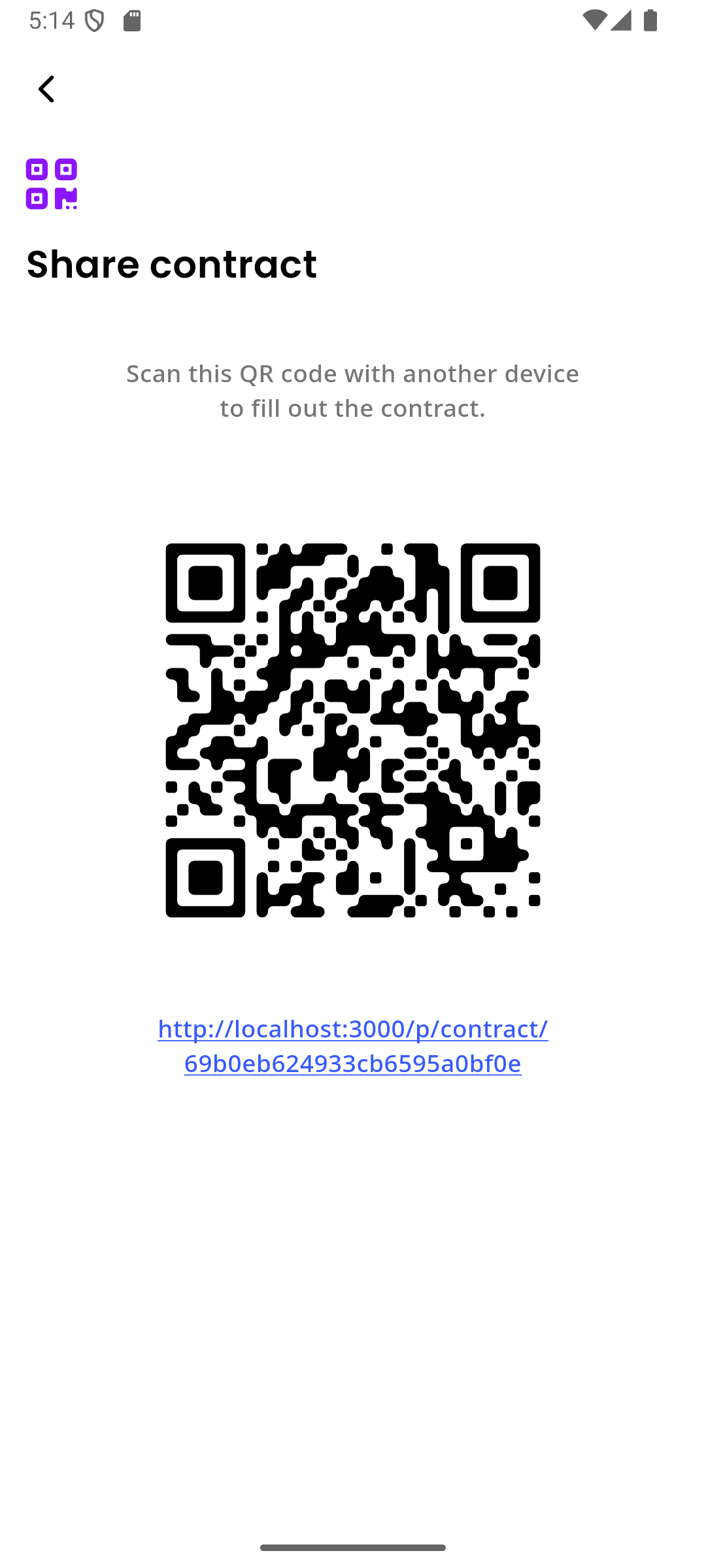
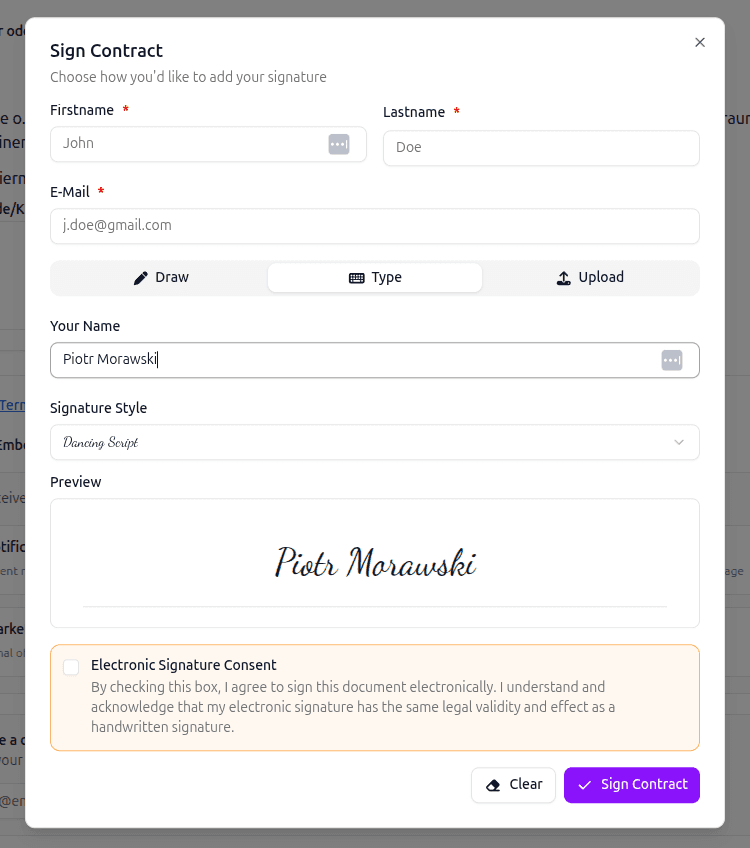
No shared tablets, no clipboards. Display a QR code on your counter, waiting area screen, or booking confirmation email. Clients scan it with their phone, fill out the intake form in their own time, and sign with their finger. The form is submitted before they even sit down in the chair.
- Clients use their own phone - no shared devices
- Works in any browser, no app download required
- Forms can be completed before arriving at the studio
Automatic Data Sync to Profiles
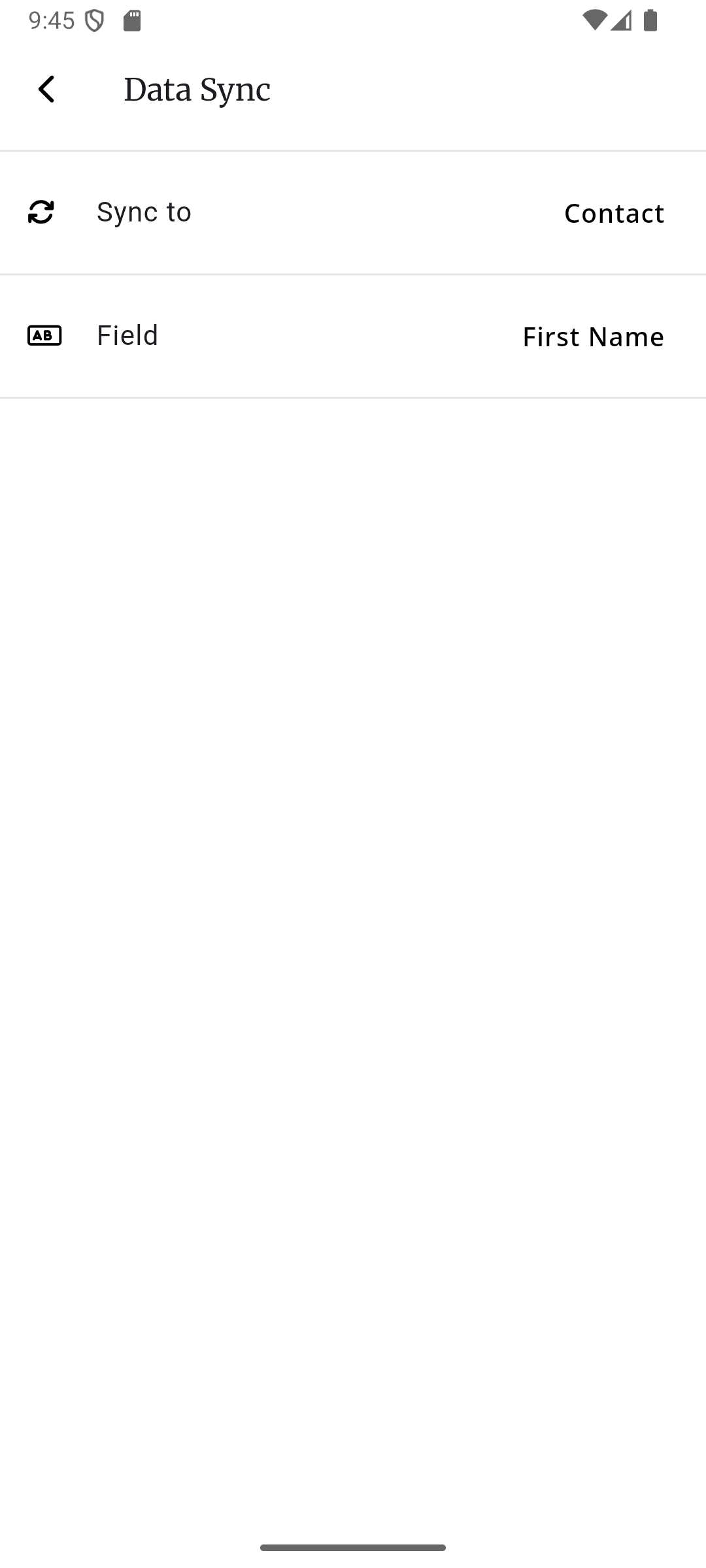
When a client submits a signed intake form, the structured data flows directly into their profile. Allergies, medical history, medical conditions, emergency contacts, and consent preferences are extracted from digital health screening fields and stored as searchable fields - not buried in a PDF you'll never open again.
- Allergies, medical history, and medical conditions sync to client profiles
- Emergency contacts always up to date
- Searchable structured data, not buried PDFs
E-signatures, sent straight to your client
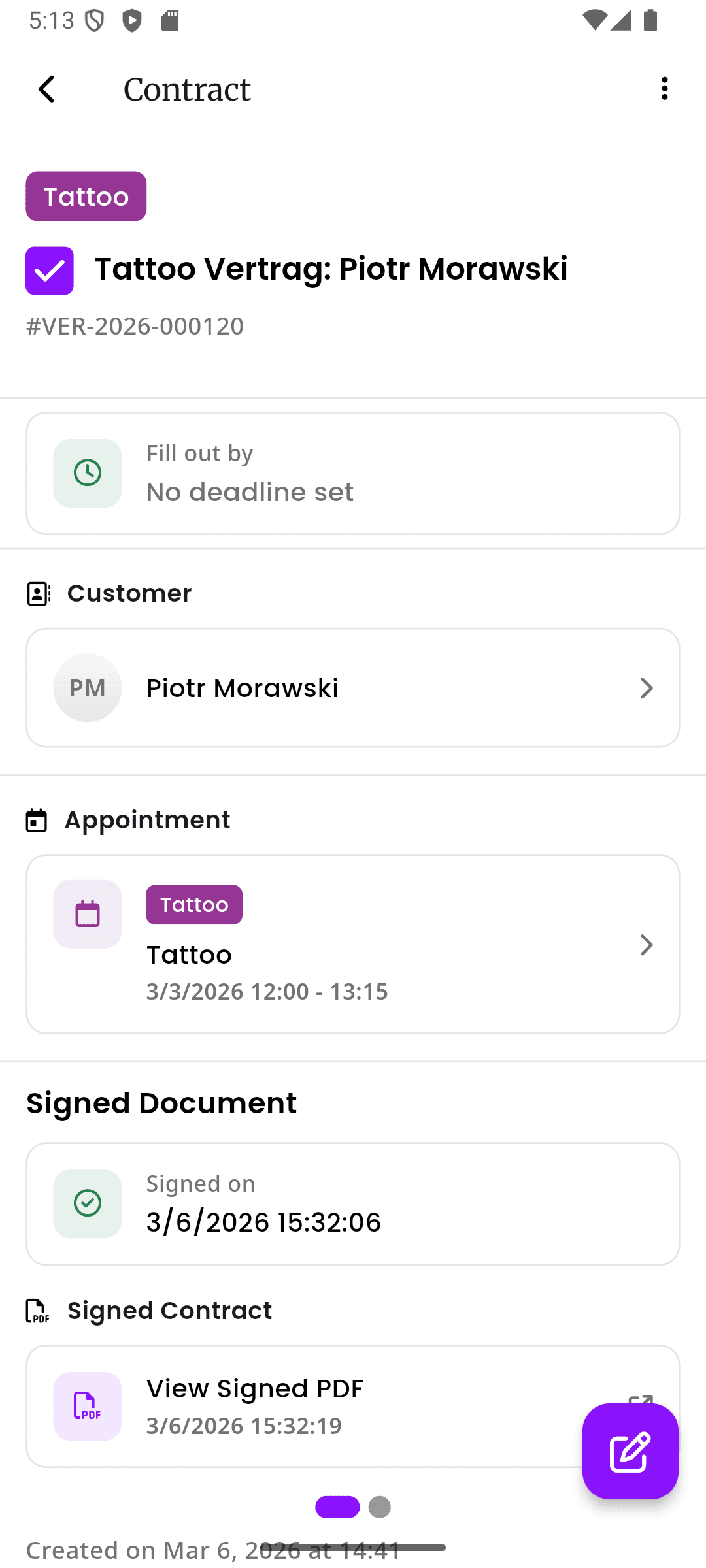
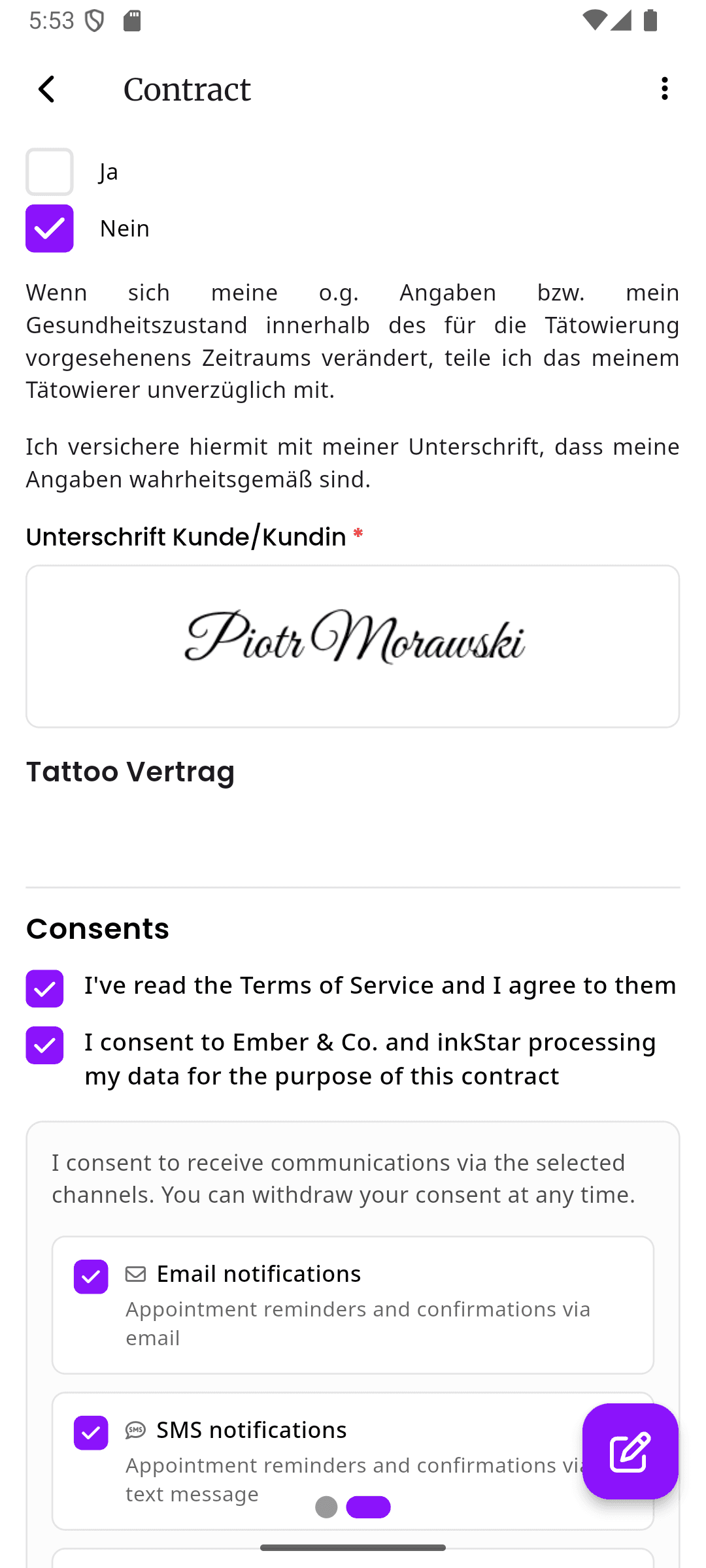
Every signature is captured with a timestamp, device and browser details, and the exact version of the form that was signed, designed to support eIDAS and ESIGN Act requirements for electronic signatures. The moment a client signs, inkStar emails them a copy of the completed form automatically, so nobody has to chase one down later.
- Signed copy emailed to the client automatically, no follow-up needed
- Timestamp, device, and form version captured with every signature
- Designed to support eIDAS and ESIGN Act requirements for electronic signatures
Archived, encrypted, and easy to verify
Signed forms are encrypted at rest and in transit and kept on file for as long as your legal requirements demand. Many studios retain consent and health records for several years under local statute-of-limitations rules, and inkStar doesn't delete anything on its own. Open any record later to see exactly who signed it, when, and from which device.
- Retention periods you control, aligned to your local legal requirements
- Nothing is deleted automatically, records stay on file until you remove them
- Full metadata on demand: signer, timestamp, device, and form version for every signature
See the difference for yourself
Paper intake forms are a liability. Generic e-sign tools weren't built for studios. See how inkStar stacks up for intake forms, consent forms, and digital waivers.
Intake Form Fields
- Paper Intake Forms
- Print new versions each time
- Generic E-Sign
- Basic templates available
- inkStar
- Block editor with intake and digital waiver fields
Per-Service Intake Forms
- Paper Intake Forms
- Manual sorting by hand
- Generic E-Sign
- No service-level linking
- inkStar
- Auto-attached to service types
QR Code Signing
- Paper Intake Forms
- Not possible
- Generic E-Sign
- Email links only
- inkStar
- Scan, fill, sign on any phone
Data Sync to Profiles
- Paper Intake Forms
- Manual data entry
- Generic E-Sign
- No client profile integration
- inkStar
- Auto-syncs to client profiles
E-Signatures & Client Copy
- Paper Intake Forms
- Pen signatures, easily disputed
- Generic E-Sign
- Legally binding e-signatures
- inkStar
- Legally binding, with a signed copy emailed to the client automatically
Encryption, Retention & Audit Trail
- Paper Intake Forms
- Filing cabinets, no access control or audit
- Generic E-Sign
- Server-side encryption, generic retention
- inkStar
- End-to-end encrypted, retained to match your legal requirements, full audit trail
Health Screening Fields
- Paper Intake Forms
- Generic printed forms
- Generic E-Sign
- Not industry-specific
- inkStar
- Allergy, medical history, and health screening fields built in
Studios that switched to digital intake forms
See how real studio owners eliminated paperwork headaches and protected their business with inkStar's intake forms, consent forms, and digital waivers.
We threw out our filing cabinet on day one. Every intake form is signed, stored, and searchable in seconds.
We used to spend 20 minutes before each session printing forms, explaining them, and filing the signed copies. Now clients scan the QR code in the waiting area, fill out their intake forms on their phone, and we have a clean digital record before they sit down. We've saved at least 5 hours a week on admin alone.
My clients love signing intake forms on their phone. It feels professional, and I know my forms will hold up legally.
In PMU, the consent process is critical - clients need to understand the risks, confirm their medical history, and agree to aftercare. With paper, half the forms came back incomplete. Now every field is validated before submission, and I have a timestamped e-signature for every single client. Peace of mind I never had before.
Managing intake and consent for 6 artists across 200+ clients a month was chaos. Now it runs itself.
Each artist has their own intake form templates assigned to their services. When a client books online, the right form is attached automatically. By the time they arrive, everything is already signed. I used to spend an entire afternoon each week sorting through paper forms. That time is gone completely.
Frequently asked questions
Everything you need to know about intake forms, digital tattoo consent forms, health screening waiver fields, e-signatures, and customer profile sync with inkStar.
A client intake form collects the information a service business needs before an appointment: contact details, service goals, preferences, allergies, medical history fields, consent, digital waivers, and signatures. For tattoo studios and beauty businesses, intake forms often combine a consultation questionnaire, health screening waiver fields, and a service-specific consent form in one mobile-friendly workflow.
Most intake forms should include client details, appointment goals, service preferences, relevant treatment history, allergy fields, medical history fields, health screening questions, consent language, waiver acknowledgements, policy acknowledgements, and an electronic signature. Tattoo client intake forms can also collect placement, size, style, reference images, age confirmation, aftercare acknowledgement, and image consent.
An intake form collects client information before the appointment. A consultation form focuses on goals, preferences, and service planning. A consent form records that the client understands and agrees to the service. A waiver records risk acknowledgement or policy agreement. In inkStar, these can be combined into one digital intake form or split into separate service-specific forms.
inkStar's block editor lets you build tattoo studio intake forms from scratch using drag-and-drop blocks. Add text paragraphs, checkboxes, signature fields, date pickers, health screening waiver fields, allergy fields, medical history fields, medical questionnaires, and digital tattoo release form clauses. Reorder sections, preview the intake form on mobile, and save it as a reusable template.
A tattoo client intake form should collect identity details, age confirmation, tattoo placement, size, style, reference images, medical history fields, allergy fields, skin conditions, medication disclosures, health screening waiver fields, consent to tattoo, liability waiver text, aftercare acknowledgement, image consent, deposit or cancellation policy acknowledgement, and an electronic signature.
A salon client intake form usually includes client contact details, requested service, appointment goals, product or treatment history, allergies, sensitivities, current skin or hair condition, previous chemical services, patch test records, consent, policy acknowledgement, and an electronic signature. Beauty salon intake forms can be customized per service, such as facial, lash, waxing, PMU, nail, or hair color appointments.
Each intake form has a unique QR code. Display it on your counter, print it for the waiting area, or include it in booking confirmation emails. Clients scan the code with their phone camera, fill out the form in their browser with no app needed, and sign with their finger. The signed intake form is submitted instantly and linked to their appointment and customer profile.
No. After a client fills out an intake form once, inkStar associates the answers with their customer profile. For a future booking, the client can confirm that their contact details, allergy fields, medical history fields, consent preferences, and waiver data are still up to date, then update only the details that changed.
Yes. As soon as a client signs, inkStar automatically emails them a copy of the completed intake form, so they have their own record without having to ask for one. You can also resend or share a copy from the contract at any time.
Signed forms are kept on file for as long as your legal requirements demand. inkStar doesn't delete anything automatically, and retention periods are configurable per studio. Every signed record also carries its own metadata, so you can open it later and see exactly when it was signed, on which device, and confirm the details behind the signature.
inkStar's e-signatures are designed to support the requirements of the eIDAS Regulation in the EU and the ESIGN Act in the US. Every signature is captured with a timestamp, IP address, device information, and the exact intake form version that was signed. You should still have your final waiver and consent wording reviewed by a qualified legal professional.
Still have questions? Chat with our team