inkStar Logo

Barber shop softwarefor busy, modern shops

Run online booking, walk-in queues, appointment reminders, payments, tips, commission tracking, client style preferences, reports, and offline shop operations from one mobile app.

Built specifically for barbershops, not generic salon software with a barbershop skin.

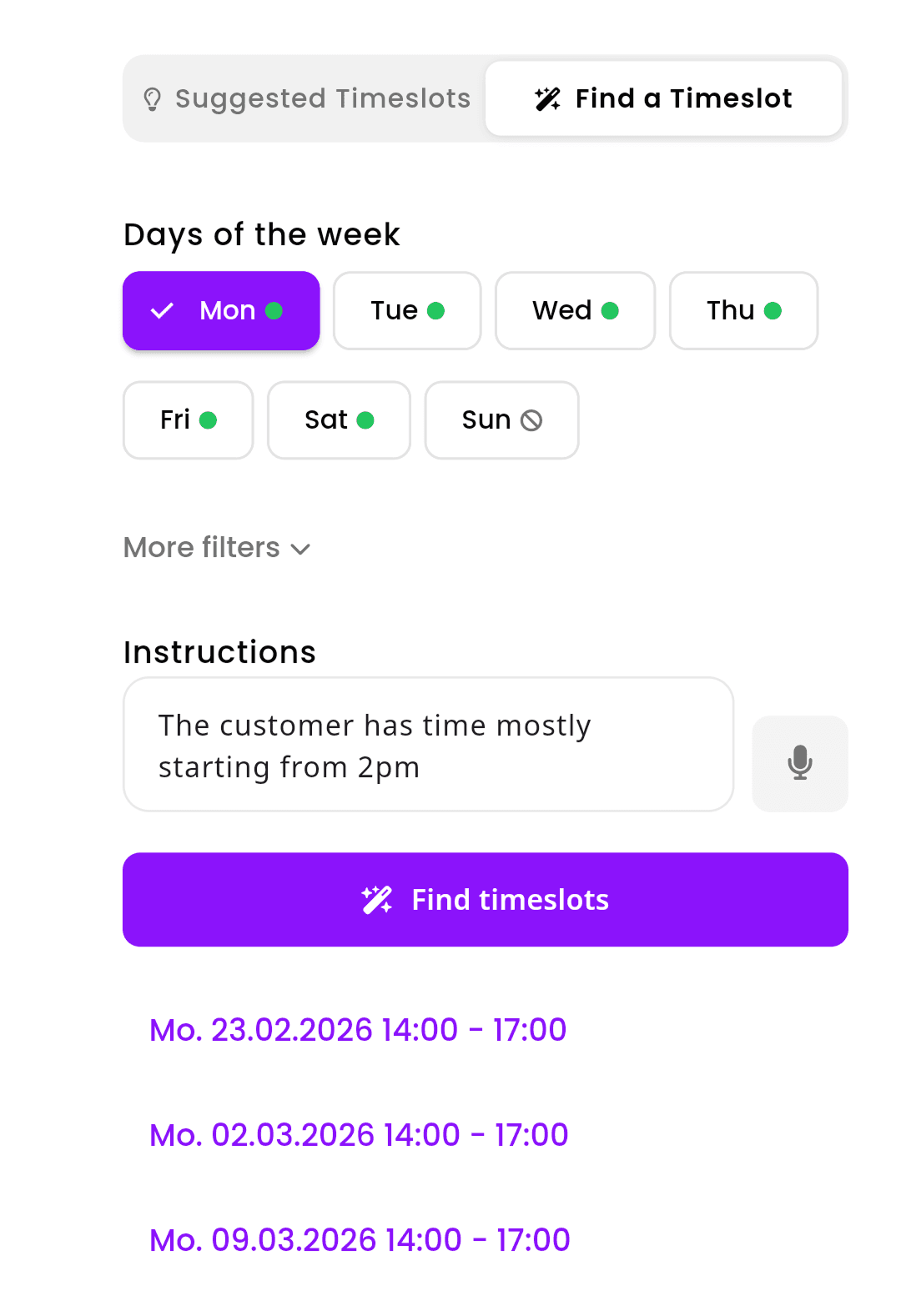
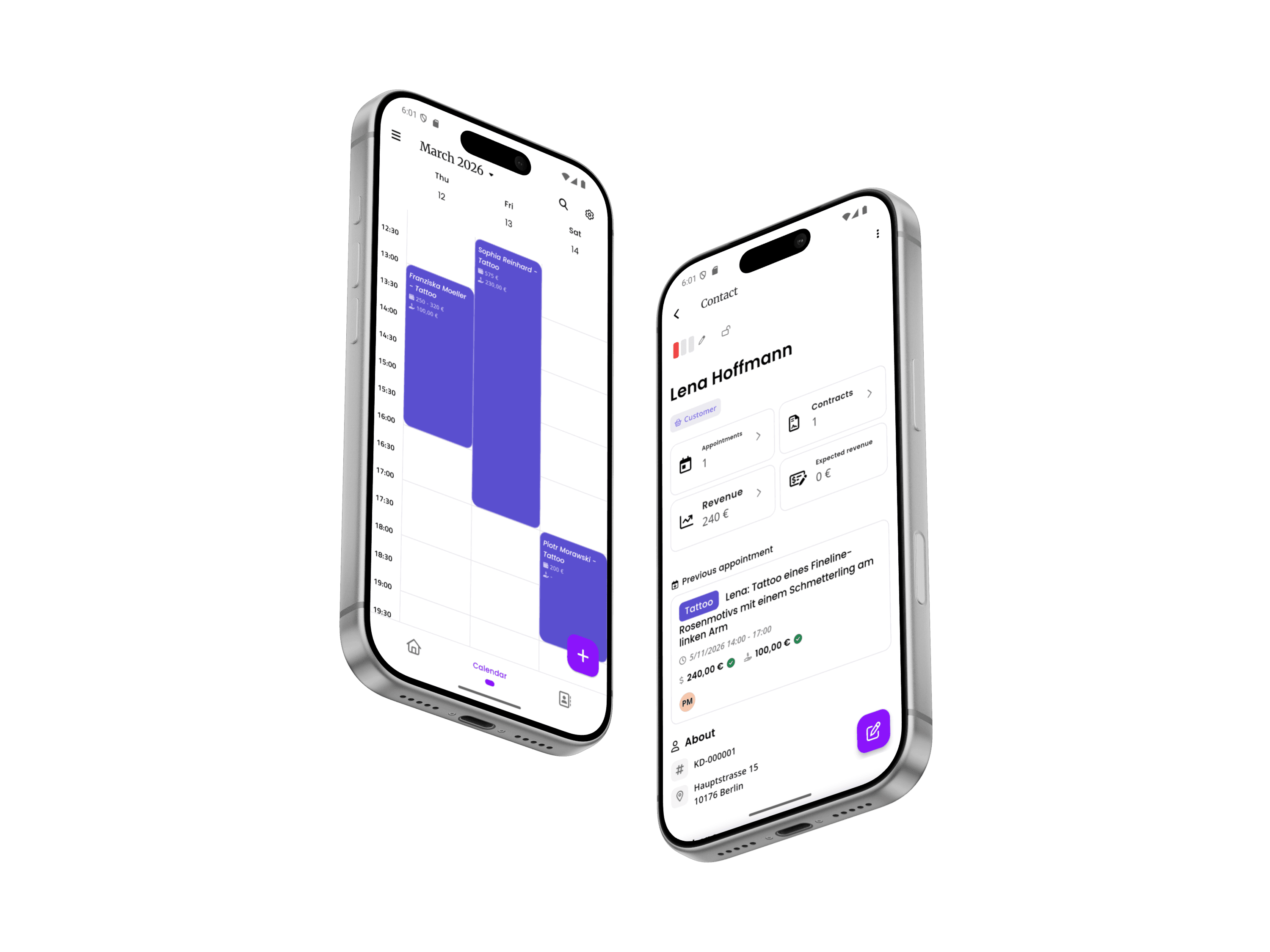
inkStar app showing calendar and appointment details on two phones

Generic appointment planner apps do not run a shop

A barber shop needs more than a calendar link. You need appointment booking, walk-in order, reminders, payment tracking, client cut notes, commission splits, and reports that keep every chair moving.

  1. No-shows kill your momentum

    You're on a roll - three fades in a row, the shop is buzzing. Then an empty chair for 30 minutes because someone didn't show up. No deposit, no cancellation, no way to fill that gap on short notice.

    The costLost cuts every single week
  2. Walk-ins cause arguments

    Who was here first? Did that guy check in? Which barber is next up? Without a system, walk-ins turn into 'I was here before him' disputes that kill the vibe in your shop.

    The costFrustrated clients and awkward confrontations

  3. End-of-day takes forever

    Counting cash, matching receipts, splitting commissions, figuring out who got what tip. Every night is 45 minutes of math that should take five. And someone always thinks the numbers are wrong.

    The costWasted time and commission disputes

  4. Scheduling is a mess across barbers

    One barber's booked solid, another has gaps, and nobody knows when the next walk-in slot opens up. Clients call asking for availability and you're guessing.

    The costEmpty chairs that should be full

  5. You can't remember everyone's cut

    Regular comes in after six weeks. What guard did you use? Was the fade to a 1 or 1.5? Did he want the lineup straight or curved? You're guessing, and he notices.

    The costInconsistent cuts and lost regulars

  6. WiFi drops and your system dies

    Cloud-based booking tools are useless when the internet goes out. And in a busy barbershop with thick walls and a basement location, that happens more than it should.

    The costYour system fails during peak hours

From online booking to paid haircut

A barbershop booking system should connect every step: appointments, walk-ins, reminders, cut notes, checkout, commission tracking, and reports.

  1. Client books online or joins the walk-in queue

    Use a mobile-friendly booking page for planned cuts and a digital walk-in queue for clients who arrive without an appointment.

  2. The shop sees real-time availability

    Open slots, chair availability, service duration, buffers, breaks, and barber schedules stay visible in one calendar.

  3. The right barber gets assigned

    Clients can choose a preferred barber, or the team can assign the next available chair and keep the queue moving.

  4. Appointment reminders reduce no-shows

    Automatic reminders by email or SMS help clients show up on time, confirm bookings, and avoid forgotten haircut appointments.

  5. Client style preferences are ready before the cut

    Guard numbers, fade height, beard notes, product preferences, photos, allergies, and no-show history stay attached to the client record.

  6. Payment and tip are logged at checkout

    Track cash, card, payment links, and tips with the appointment so the end-of-day report is already mostly done.

  7. Commission updates automatically

    Percentage splits, chair rental, hybrid structures, and tips can be calculated per barber without spreadsheet work.

  8. Reports show what to fix next

    See revenue, cuts per barber, chair utilization, no-show patterns, repeat clients, and busiest hours from the same shop dashboard.

Set up your shop calendar, queue, and payments in one flow

By the end of your first week, your barber shop management software can have online booking live, the walk-in queue running, appointment reminders active, and payment tracking ready for closing.

  1. Install on your phone

    Download the app and sign in. That's it - no desktop required, no IT department needed.
  2. Let AI set you up

    Tell the AI assistant your cut types, barber count, commission splits (50/50, 60/40, chair rental), and walk-in rules. It configures everything in minutes.
  3. Run your shop

    Walk-in queue live, booking page shared, appointment reminders active, payment tracking running, end-of-day closing in minutes. No add-ons, no extra fees.
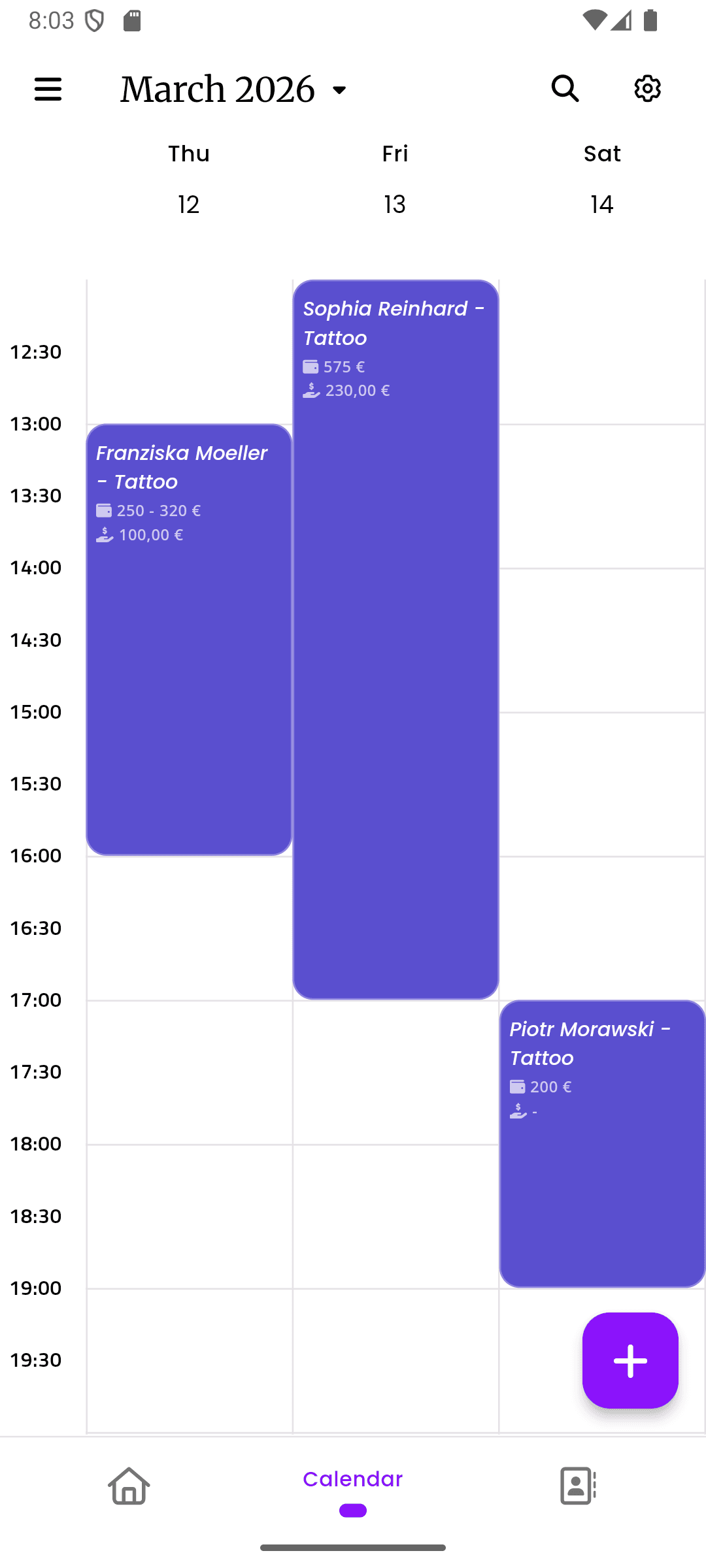
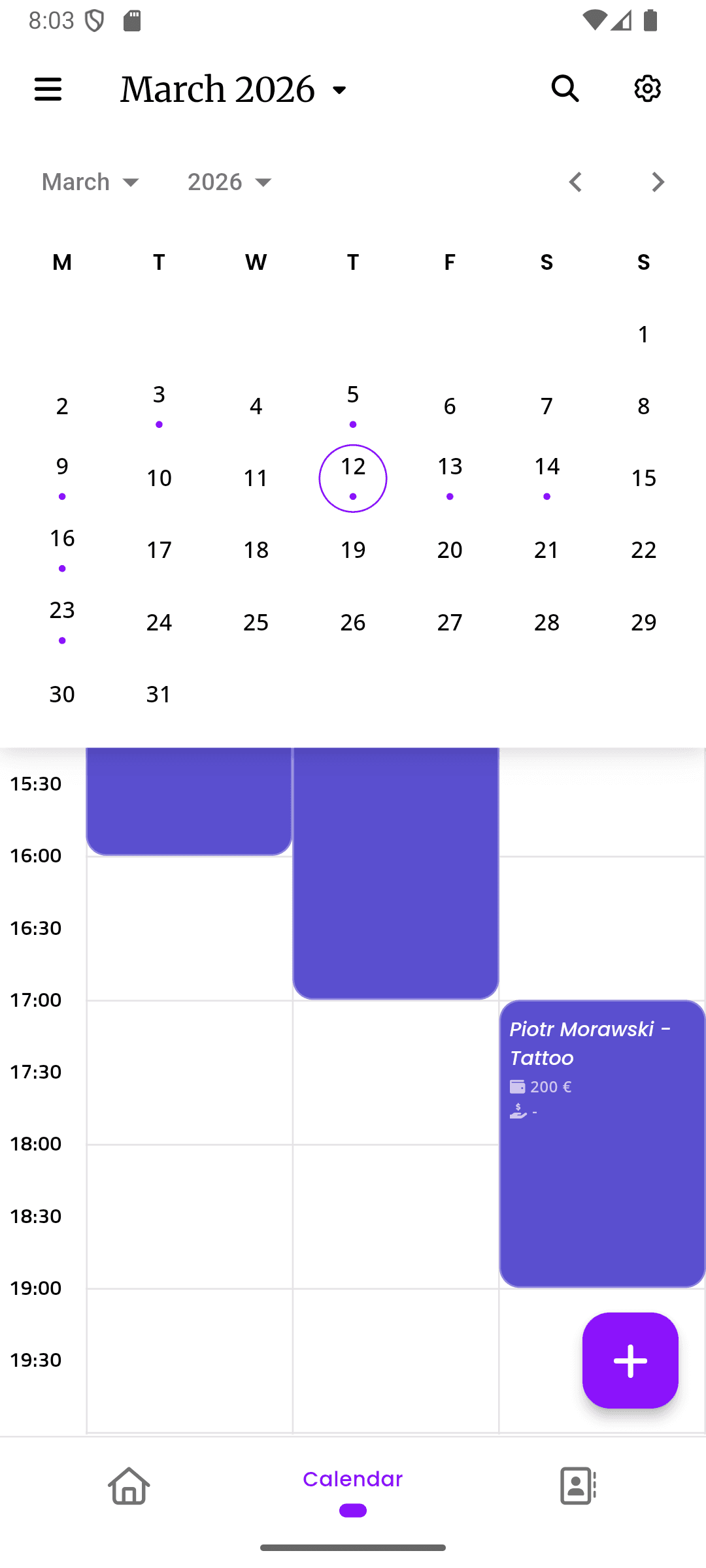
inkStar calendar view with barbershop appointment schedule

Barber shop software for every daily workflow

Walk-ins, online appointments, reminders, payments, commissions, client records, and style preferences in one offline-first system. Flexible enough for chair rental, percentage splits, and hybrid models.

  1. Barber booking software for fast rebooking

    Type three letters of the client's name, pick the cut type from your pre-configured list, select a time slot, done. For returning clients with the same fade, it's one tap. No ten-field forms, no unnecessary clicks - just speed.

    • Pre-configured services: Fade, Buzz, Trim, Beard, Hot Towel - ready out of the box
    • One-tap rebooking for regulars with their usual cut and preferred barber
    • Barber appointment software built around client, service, barber, and time
    inkStar quick booking interface optimized for barber speed
  2. Walk-in queue management for barber shops

    Your calendar shows scheduled appointments. Walk-ins check in on a digital queue. The system tracks who arrived when, estimates wait times, and notifies the next available barber. No clipboard, no arguments, no chaos.

    • Digital walk-in queue with automatic wait time tracking and order
    • Mix scheduled appointments with walk-ins - fill gaps intelligently
    • Real-time queue status visible to all barbers on their phones
    inkStar calendar showing walk-in queue alongside scheduled appointments
  3. Barber shop management software for commission tracking

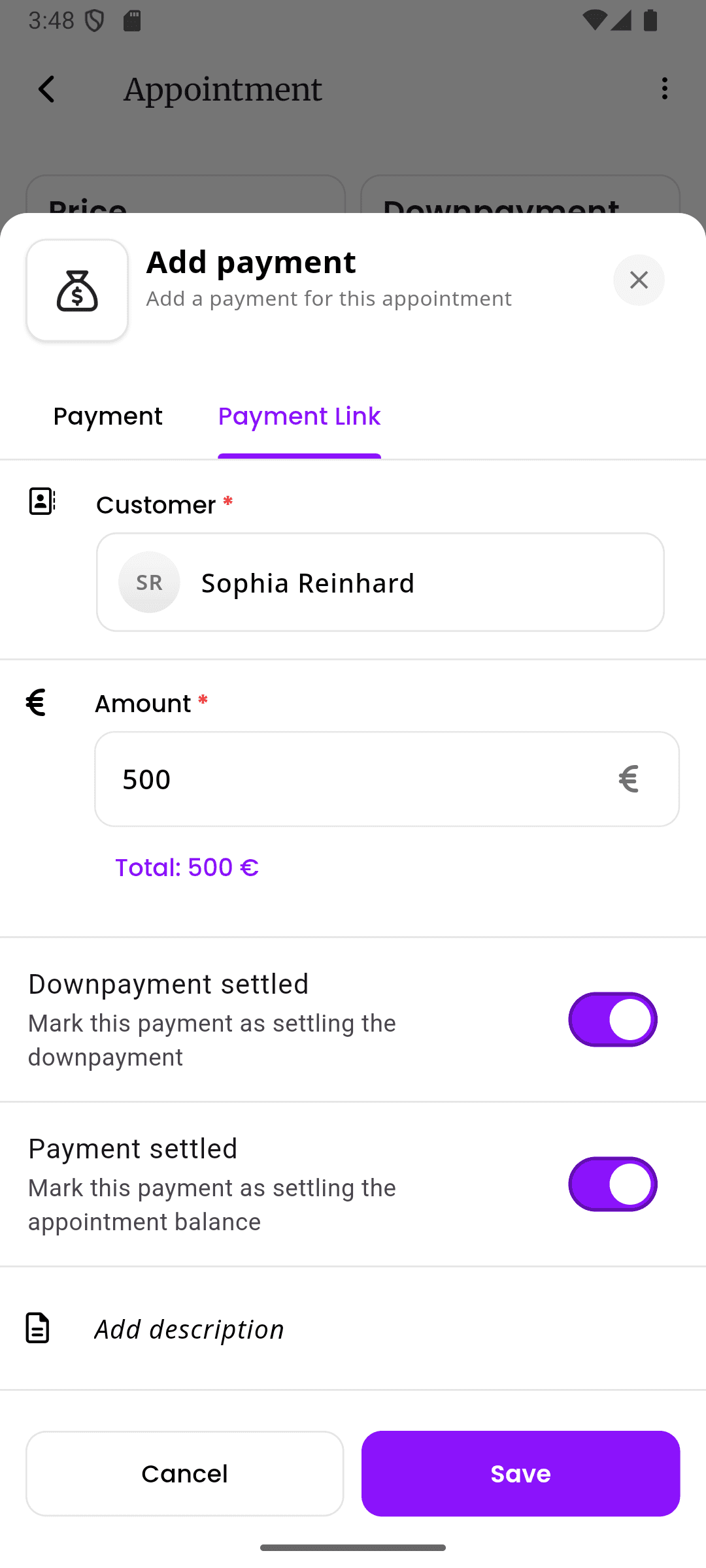
    Log payments as you go - tap Cash or Card after each cut, tips tracked separately. At end of day, the system shows total cash vs. drawer, commissions per barber, and a tax-ready report. Supports percentage splits, flat chair rental, hybrid models, and barber rotation rules - all in one place.

    • One-tap payment logging: Cash, Card, or Digital after each appointment
    • Flexible commission models: percentage, chair rental, hybrid - per barber
    • End-of-day report: cash vs. card breakdown, tips, commissions - tax ready
    inkStar end-of-day reconciliation with commission breakdown
  4. Barber shop client management software for every regular

    Guard numbers, fade height, beard style, product preferences, before/after photos - all saved to the client's profile. When a regular walks in after six weeks, you pull up their last cut in seconds. They notice, and they keep coming back.

    • Quick style notes: 'Fade to 1.5, hard part left, lineup straight'
    • Before/after photos linked to each appointment for visual reference
    • Preferred barber, allergy notes, and no-show history per client
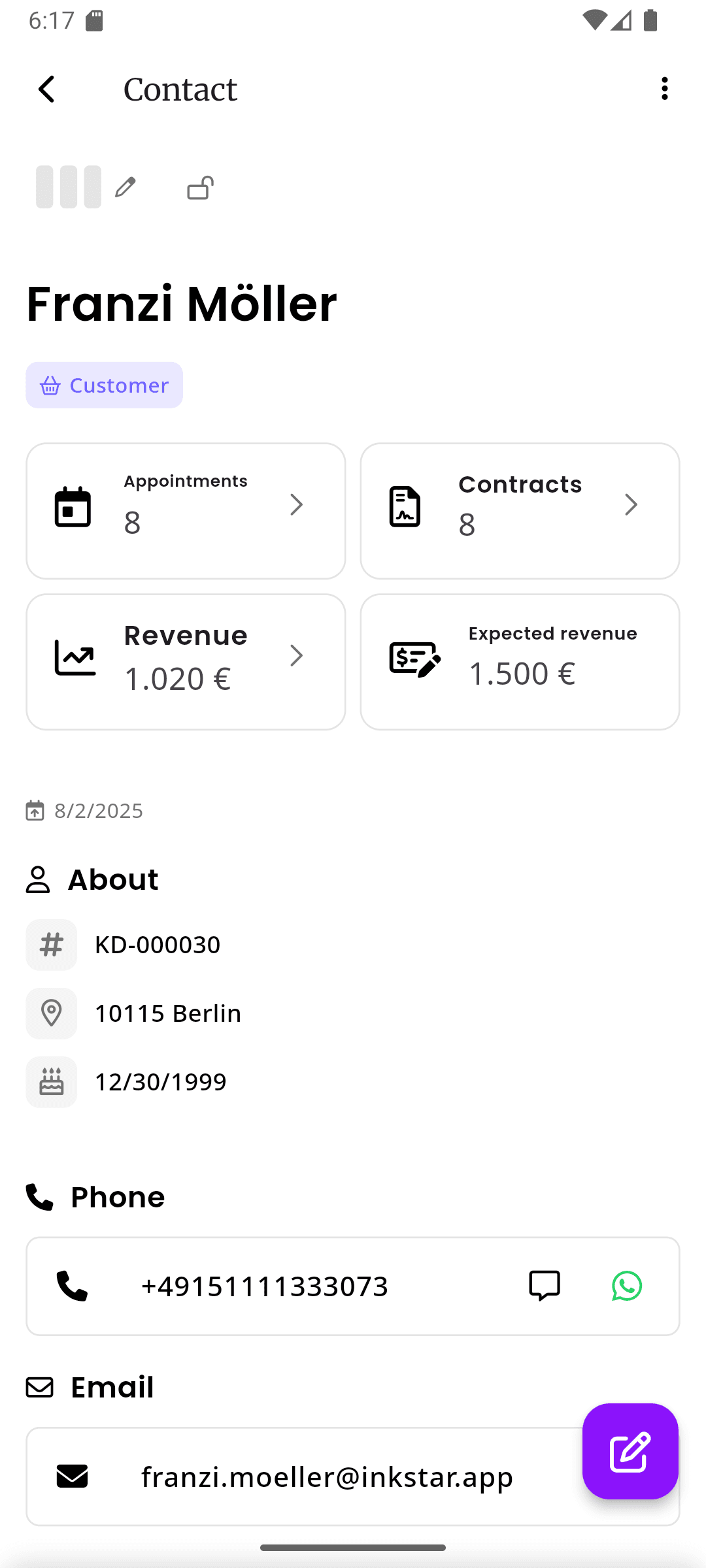
    inkStar client profile with style preferences and cut history
  5. Barber business software for revenue and chair utilization

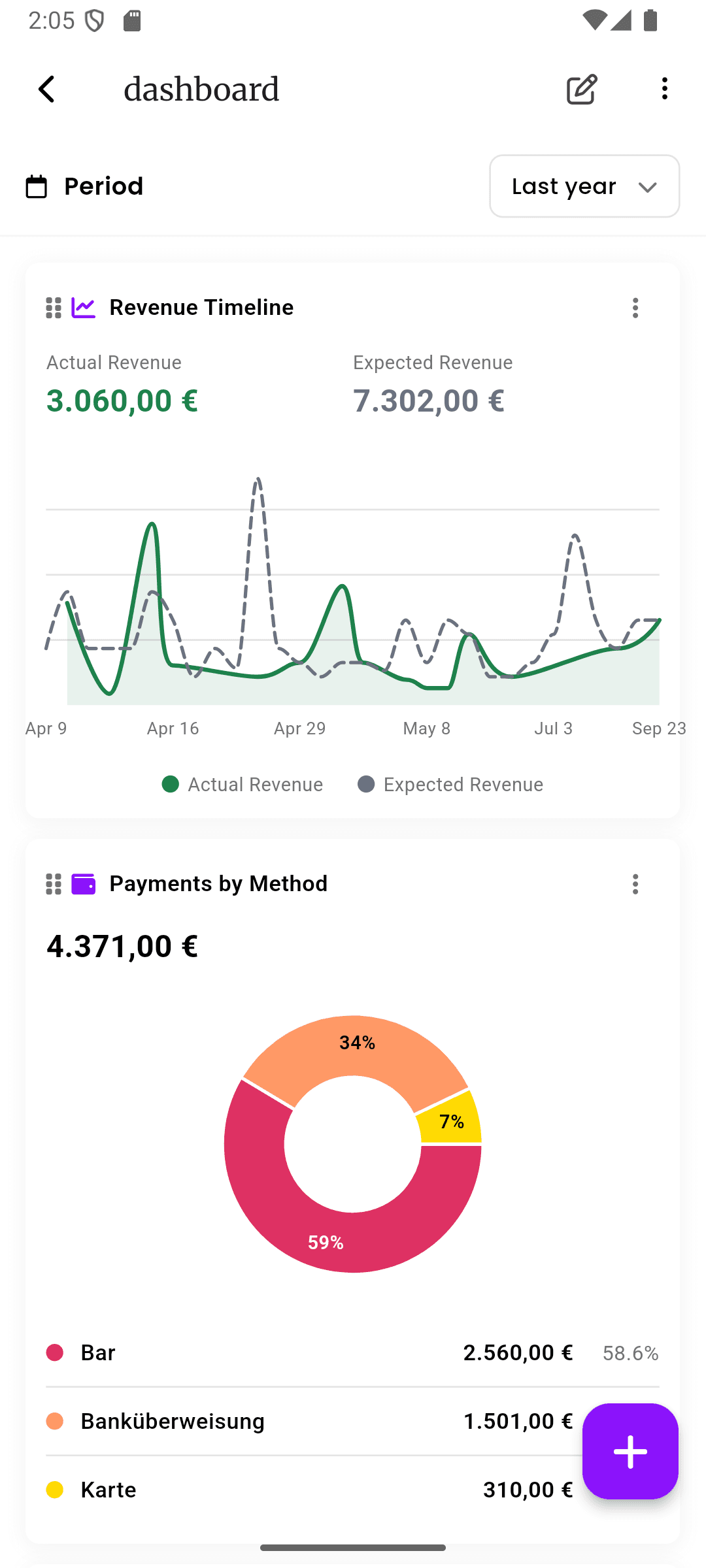
    Revenue per barber, cuts per day, average ticket, no-show rates, busiest hours - all in real-time dashboards designed for barbershop owners. Know which chairs are making money and which time slots need filling.

    • Revenue and cuts per barber, per day, per week - at a glance
    • Commission tracking with automatic calculation and real-time earnings
    • No-show rates, busiest hours, and chair utilization to optimize your schedule
    inkStar barbershop dashboard with revenue and performance metrics
  6. Barber scheduling software for multiple barbers

    See every barber's schedule on one screen. Drag-and-drop to reschedule, block time for breaks, and spot open slots across the whole shop. Barbers see their own view, the owner sees everything.

    • Shared team calendar with per-barber views and color coding
    • Drag-and-drop rescheduling with automatic client notifications
    • Block time slots for breaks, cleanup, or walk-in-only hours
    inkStar team calendar showing multiple barber schedules

Solo chair or full shop - inkStar scales with you

Whether you need a barber shop appointment app for one chair or shop management software for multiple barbers and locations, inkStar fits the workflow.

Solo Barbers

Run your business from your phone between cuts. No receptionist, no front desk, no problem.

  • Your own calendar with AI-powered scheduling and one-tap rebooking
  • Personal booking page clients can share and book from directly
  • Cash and card tracking with instant end-of-day reconciliation
  • Client style preferences saved for every regular
  • Full offline mode - works when the WiFi doesn't

Barbershop Owners

One dashboard for your entire shop. Every barber, every chair, every dollar - visible and accounted for.

  • Walk-in queue and appointment calendar in one system
  • Commission tracking with automatic splits, chair rental, and tips
  • Role-based permissions for barbers, managers, and front desk
  • Revenue and performance dashboards per barber and per chair
  • Shared client database with style preferences across all barbers
  • Multi-location management from a single account

How to choose barber shop management software

Use these buying criteria when comparing barber appointment software, generic planner apps, and barbershop-specific systems.

  • Check pricing transparency before you import client data

    A good barber shop appointment planner should explain whether you pay per barber, per location, or per appointment, and whether annual billing changes the price.

  • Look for a free trial with real shop workflows

    The trial should let you test online booking, walk-ins, reminders, payments, commissions, reports, and client records before you commit.

  • Compare free plans against paid operational features

    Free appointment planner apps can be useful for basic booking, but barbershops usually need queue control, team scheduling, payment tracking, and reporting.

  • Ask about hidden payment and integration fees

    Payment processing, SMS reminders, custom booking pages, calendar sync, exports, and integrations should be clear before you switch systems.

  • Make sure clients can book without an account

    A mobile-friendly booking page should let clients choose a service, barber, and time without downloading an app or creating a heavy profile.

  • Prioritize reminders and no-show protection

    Barber appointment software with automatic reminders, deposits, and client reliability history can protect chair time and reduce last-minute gaps.

  • Review security, privacy, and exports

    Client data, payment links, and booking pages should be protected with secure connections. You should also be able to export your data if you leave.

  • Choose a system that supports your brand

    Look for custom branding, a mobile booking page, flexible service names, multiple languages or currencies when needed, and a booking link you can share anywhere.

  • Check reliability before peak hours expose the gaps

    Offline mode, fast mobile performance, reliable reminders, and regular updates matter when the shop is full and every chair needs to keep moving.

  • Pick software that can grow with the shop

    Upgrade and downgrade flexibility, multi-location support, role-based permissions, and shared client records help the system work beyond a single chair.

How inkStar compares

Calendly doesn't handle walk-ins. Fresha wasn't built for commission splits. The features that matter most for barbershops - walk-in queues, fast booking, and end-of-day reconciliation - don't exist in generic tools.

  • Walk-in queue management

    Pen & Paper
    Clipboard and memory
    Generic Tools
    Appointment-only systems
    inkStar
    Digital queue with auto wait times
  • 15-second booking

    Pen & Paper
    Fast but no records
    Generic Tools
    10+ field forms
    inkStar
    3 taps: client, cut, time
  • Commission tracking

    Pen & Paper
    Manual spreadsheets
    Generic Tools
    Basic reporting
    inkStar
    Automatic splits, rental, tips
  • End-of-day reconciliation

    Pen & Paper
    45-minute receipt matching
    Generic Tools
    Basic payment logs
    inkStar
    5-minute close with full report
  • Client style preferences

    Pen & Paper
    Memory-based
    Generic Tools
    Basic notes field
    inkStar
    Guards, fades, photos per client
  • Offline functionality

    Pen & Paper
    Works offline, no sync
    Generic Tools
    Cloud-only, useless offline
    inkStar
    Full offline with auto-sync
  • Team calendar / multi-barber

    Pen & Paper
    Separate paper books
    Generic Tools
    Basic shared calendar
    inkStar
    Shared view with per-barber filters
  • No-show protection

    Pen & Paper
    No reminders
    Generic Tools
    Basic reminders
    inkStar
    Reminders + deposits + strike tracking
  • Digital tipping

    Pen & Paper
    Cash only
    Generic Tools
    Basic payment links
    inkStar
    Tip options on every payment link
  • Pricing transparency

    Pen & Paper
    Free but no features
    Generic Tools
    Per-feature add-ons, hidden costs
    inkStar
    One price, all features, per-barber
  • Built for barbershops

    Pen & Paper
    Generic, no barber features
    Generic Tools
    One-size-fits-all
    inkStar
    Every feature designed for barbers

Barbers who switched to inkStar

Hear from barbers and shop owners who made the switch.

  • End-of-day went from 45 minutes to five.

    With four barbers, closing out used to be a nightly ordeal - matching receipts, counting cash, calculating splits. Since we moved to inkStar, payments log as we go and commissions calculate automatically. I went from 45 minutes every night to a five-minute report review. My barbers love it because they can see their earnings update after every cut.

    Marcus Johnson · Barber
  • Walk-ins stopped causing arguments.

    Our shop does about half walk-ins, half appointments. Before inkStar, walk-ins were constant disputes about who was next. Now clients check in digitally, the system tracks order, and barbers get notified when it's their turn. We handle more walk-ins per day without adding staff, and the arguments just stopped.

    James Wilson · Barber
  • My regulars noticed I remember their fade now.

    I used to guess. 'Was that a 1 or 1.5?' Now I pull up their profile between appointments - guard number, fade height, lineup style, even the product they like. Three of my regulars specifically mentioned it. One said it's why he stopped going to the shop closer to his house. My rebooking rate went up noticeably since I started saving preferences.

    Alex Chen · Barber

Got questions?

Everything you need to know about pricing, security, setup, booking, reminders, and using inkStar as your barber shop management software.

Barber shop management software is a system for running appointments, walk-ins, reminders, payments, tips, commissions, client style records, team calendars, and reports from one place. inkStar is built for barbershops that need more than a generic appointment planner app.

inkStar offers a free trial so you can test every feature with your real shop setup. After the trial, plans start at a flat monthly rate per barber with no per-feature add-ons for walk-in queue, commissions, offline mode, reminders, or reporting. Cancel anytime, data always exportable.

Plans are designed around barbers rather than charging per appointment. Multi-location shops can manage separate locations from one account, and you should not have to worry about extra costs just because booking volume grows.

inkStar is built around transparent pricing. Core barbershop features are included in one app. Payment processing and message delivery can involve provider costs, but those should be visible before you turn them on.

Your calendar shows scheduled appointments with time slots. Walk-ins use a digital queue where clients check in on arrival and the system tracks order and wait times. You can mix both and use open gaps between appointments for walk-ins.

Yes. Automatic appointment reminders, booking confirmations, deposit options, cancellation rules, and client reliability history all help reduce forgotten appointments and protect high-demand chair time.

No. Clients use a mobile-friendly booking page in their browser for booking, confirmations, and payment links. For walk-in check-in, they can use a simple page on your shop tablet or their own phone. Only you and your barbers use the app.

Booking pages and payment flows use secure connections, and client records are treated as business data you control. You can export your data if you cancel or move systems, so your client list and appointment history are not locked away.

Yes. You can configure services, durations, barber availability, approval rules, buffer times, and which services are bookable online. The booking page is mobile-friendly and can be shared from your website, social profiles, or messages.

Yes. View schedules, book appointments, log payments, check client notes, and manage the walk-in queue without internet. Everything syncs automatically when you reconnect. It is built for shops with unreliable WiFi or barbers working away from the shop.

Set each barber's structure: percentage split (50/50, 60/40, custom), flat chair rental, or hybrid. Tips track separately and can be assigned by your rules. Commissions calculate automatically throughout the day, and end-of-day reports show exactly what everyone earned.

Generic planner apps usually handle a calendar link. inkStar handles barbershop operations: walk-ins, online booking, reminders, payments, tips, commissions, client style preferences, reports, offline mode, and multi-barber scheduling in one system.

Still have questions? Chat with our team

Ready to Transform Your Studio?

Start your free trial today and see for yourself how inkStar simplifies your daily workflow.

  • 7-day free trial
  • Cancel anytime
  • GDPR compliant
  • Encrypted data at rest & in transit