inkStar Logo

Beauty salon booking appfor every treatment you offer

Let clients book online, show open appointment times, check staff availability, collect deposits, send reminders, and keep every client record in one app built for hair, skin, nails, lashes, and every beauty specialty.

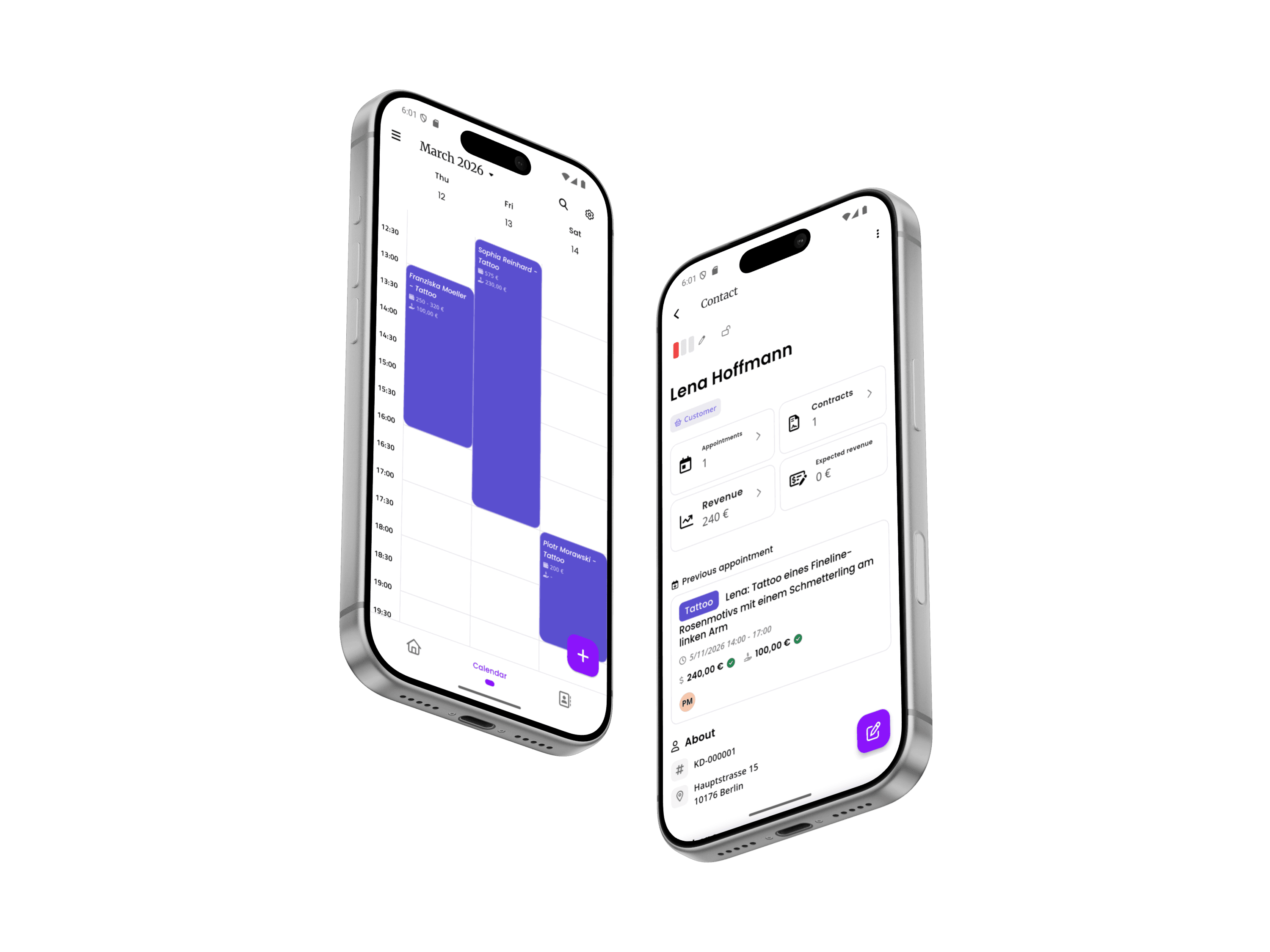
inkStar app showing calendar and client details on two phones

The salon booking problems generic apps do not solve

A beauty business is not a basic calendar link. Multiple services, staff, repeat clients, deposits, and real working hours need scheduling logic that understands the salon day.

  1. No-shows and late cancellations drain your busiest hours

    A color service, full set, or facial can block sixty to ninety minutes of prepared time. Without deposit collection and a clean cancellation policy, that block is often too large to refill and the day stops being profitable.

    The costRevenue lost with no time to recover
  2. Client history lives in notebooks, sticky notes, and memory

    Color formulas, product preferences, allergies, and treatment notes get written down inconsistently or not at all. When a different staff member sees the client, or the regular specialist is out, the details are gone.

    The costInconsistent results and repeat mistakes

  3. Bookings are trapped in social media DMs and phone calls

    Instagram and word of mouth bring clients in, but message floods, lost references, and scattered conversations make it hard to schedule appointments without back-and-forth messages.

    The costLost bookings and wasted front-desk time

  4. Staff pay and commissions are calculated by hand

    Different specialists, different commission splits, chair rental, tips, and retail add-ons all need to be tracked somewhere. When that somewhere is a spreadsheet, payday turns into an hour of manual math and disputed numbers.

    The costPayroll disputes and hours of admin every month

  5. Retail and add-on sales are disconnected from appointments

    Upsells, take-home products, and treatment packages rarely get tracked alongside the appointment that generated them, so owners cannot see what is actually driving revenue per client or per specialist.

    The costMissed revenue that is hard to see

  6. Owners spend more time on admin than on clients

    Booking, forms, payments, staff schedules, and reports usually live in separate tools. Every hour spent stitching them together by hand is an hour not spent on the chair or growing the business.

    The costBurnout and slower growth

From first message to a finished treatment

The best beauty salon booking app should follow the way a real client moves through your salon, not force your team to copy data between booking tools, payment links, forms, and spreadsheets.

  1. Client asks about a service

    An inquiry can start in Instagram, WhatsApp, email, or your website. The goal is to move it into a trackable booking flow quickly.

  2. Send a booking or consultation link

    Clients can choose the right specialist, service, and time without days of back-and-forth messages.

  3. Client chooses a time

    Availability reflects staff schedules, service length, buffer time, blocked time, and remote appointment time zones.

  4. Client completes intake details

    Allergies, patch test results, product preferences, and custom questions stay attached to the appointment.

  5. Deposit is collected

    A real payment turns interest into commitment and protects longer service blocks.

  6. Reminders go out

    Automatic appointment reminders reduce no-shows without another manual message from staff.

  7. Consent or patch test form is signed

    Digital forms and treatment consents are stored with the client and appointment record.

  8. Specialist sees the full context

    Formulas, notes, client history, forms, and payment status are visible before the treatment starts.

  9. Payment is completed

    Payment links, deposits, balances, and invoices stay tied to the right appointment.

  10. Reports update automatically

    Revenue, commissions, client history, and booking trends are ready without rebuilding the month in a spreadsheet.

One connected workflow for the booking behind the beauty work

inkStar connects the pieces that usually live in separate apps: online booking, availability checks, forms, reminders, deposits, payments, client notes, staff calendars, and reports.

  1. Set up your salon in minutes

    Add your staff, service menu, working hours, buffer time, deposits, forms, booking rules, and cancellation policies from your phone. inkStar keeps setup guided, so you do not need a complicated desktop system or an IT person.
  2. Let clients move from interest to booked

    Send a booking link from Instagram, WhatsApp, email, or your website. Clients choose a service and specialist, see open times for appointments tomorrow or later this week, complete intake forms, pay the deposit, and get reminders automatically.
  3. Run the day without chasing everything

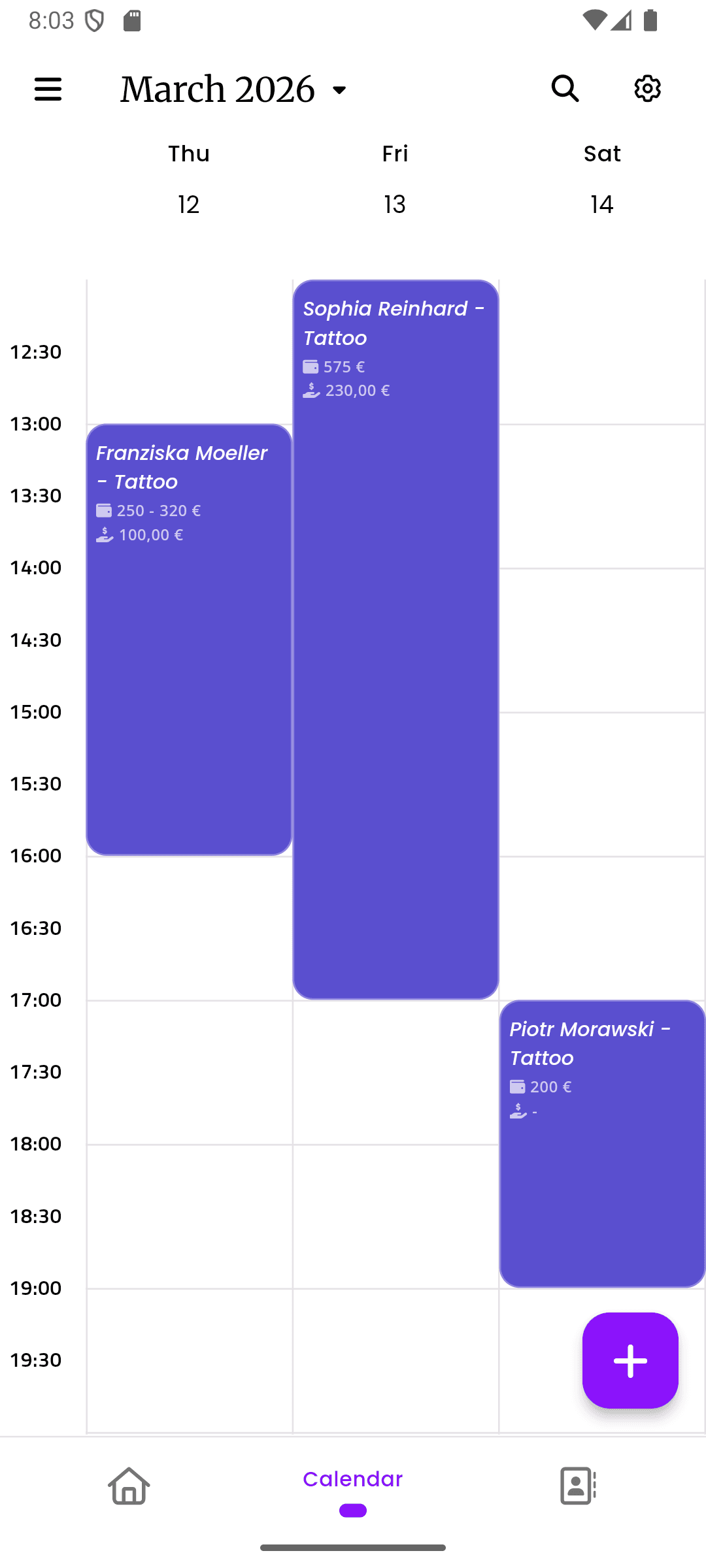
    Appointments, digital forms, payment status, client history, notes, staff calendars, and revenue reports stay connected. You see where you are free for appointments this week before it becomes a missed message, empty chair, or admin night.
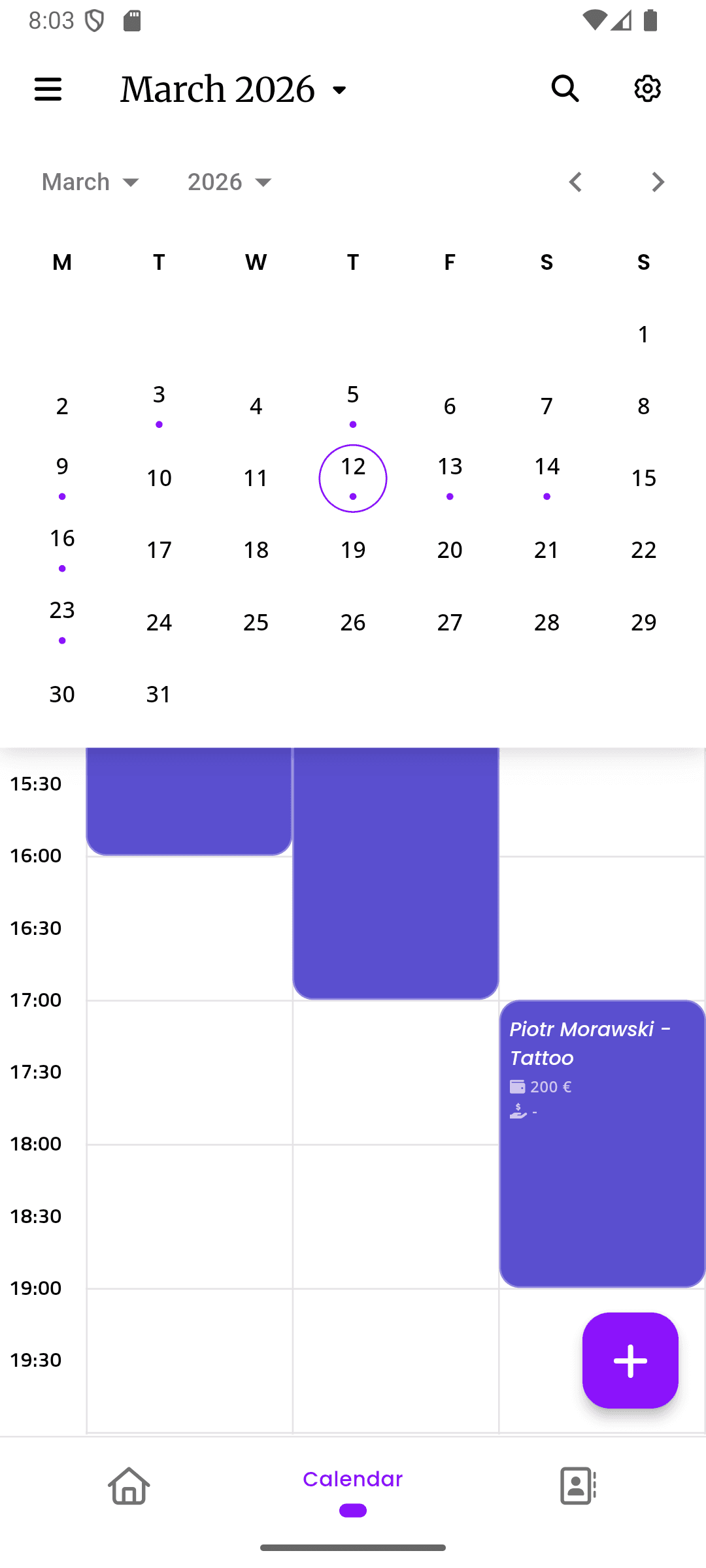
inkStar calendar view with appointment overlay

Everything your salon booking app needs, without the tool stack

Each feature is built around a real beauty business workflow: fewer empty chairs, less paper, clearer client history, faster payments, and better visibility for owners.

  1. A salon booking app that finds the best appointment time

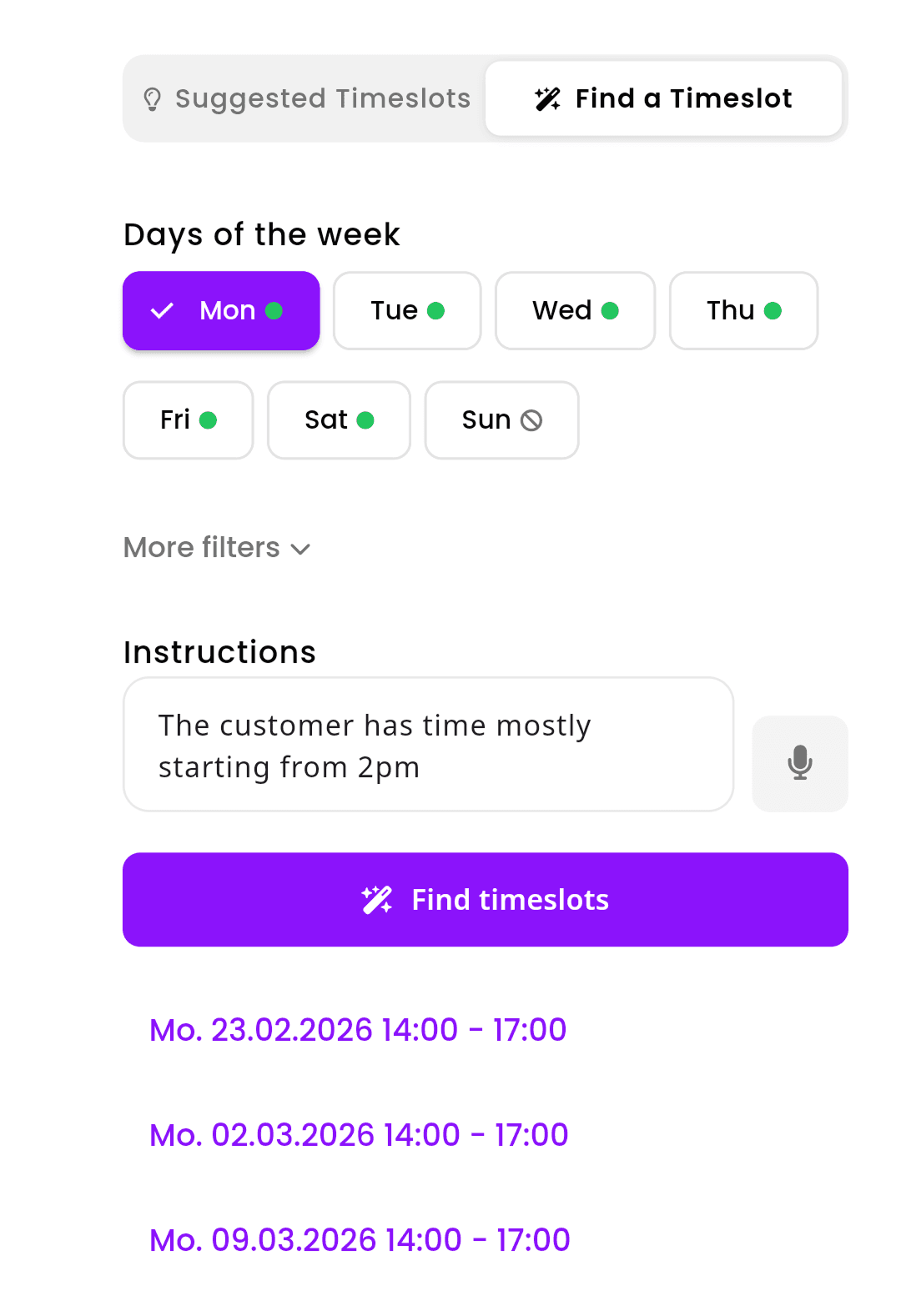
    When someone messages about an appointment, move them into a real booking flow instead of endless back-and-forth. inkStar checks availability before booking appointments, suggests appointment times based on your calendar, and helps the client book the right slot with the right specialist.

    • AI time slot finder accounts for service length, buffer time, and staff availability
    • Online booking links work from Instagram, WhatsApp, your website, or direct messages
    • Requests, confirmations, reminders, and reschedules stay in one appointment record
    inkStar AI time slot finder suggesting optimal appointment times
  2. Digital intake and consent forms before the appointment starts

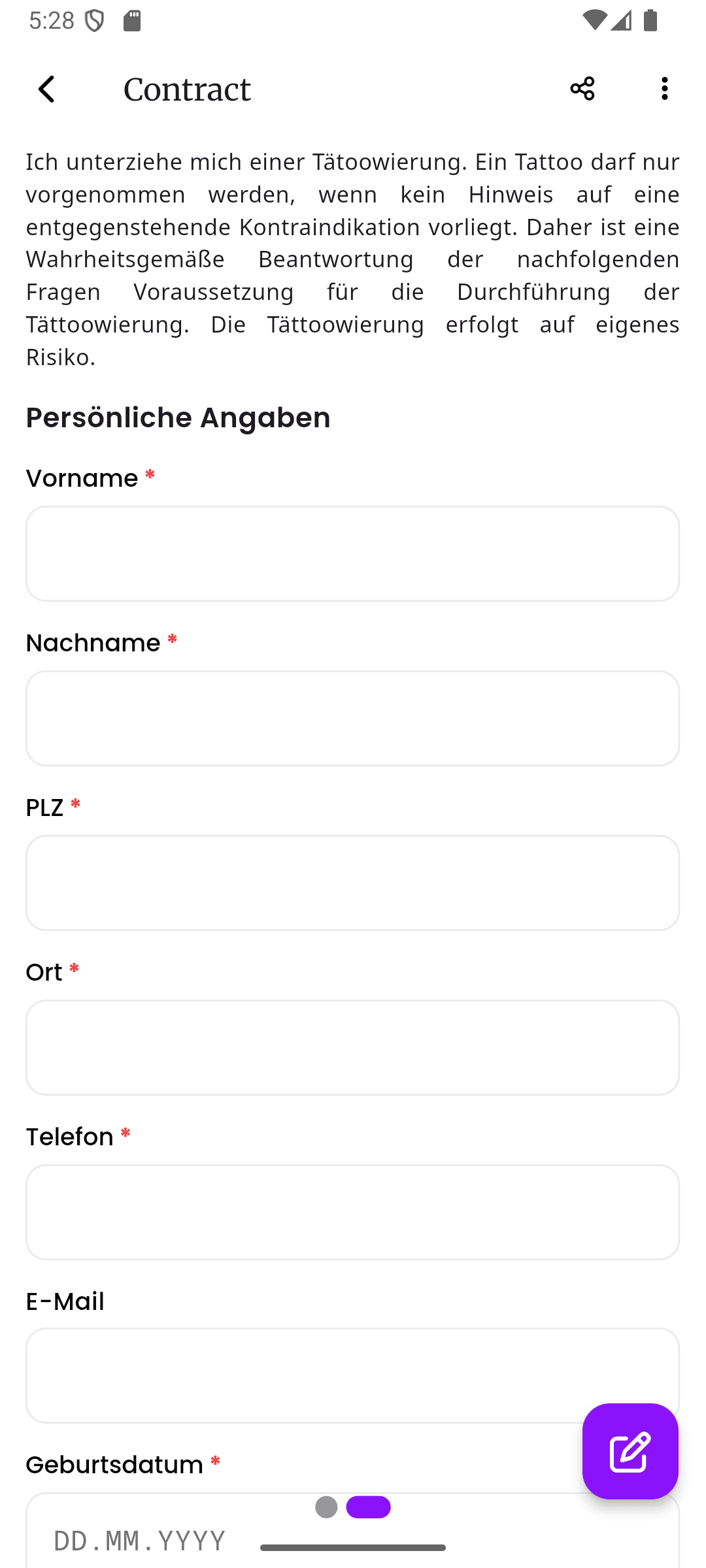
    Patch tests, allergy questionnaires, chemical treatment consents, and general intake forms are collected before the client sits down and linked to their profile. That means fewer paper piles, fewer missing forms, and a clear record if a question comes up later.

    • Templates for patch tests, allergy screening, and treatment-specific consent
    • Digital signatures, timestamps, and audit trails stored with the appointment
    • Custom forms, notes, and history stay attached to the right client profile
    inkStar digital consent form preview with signature
  3. Deposits, payment links, and payment tracking connected to every appointment

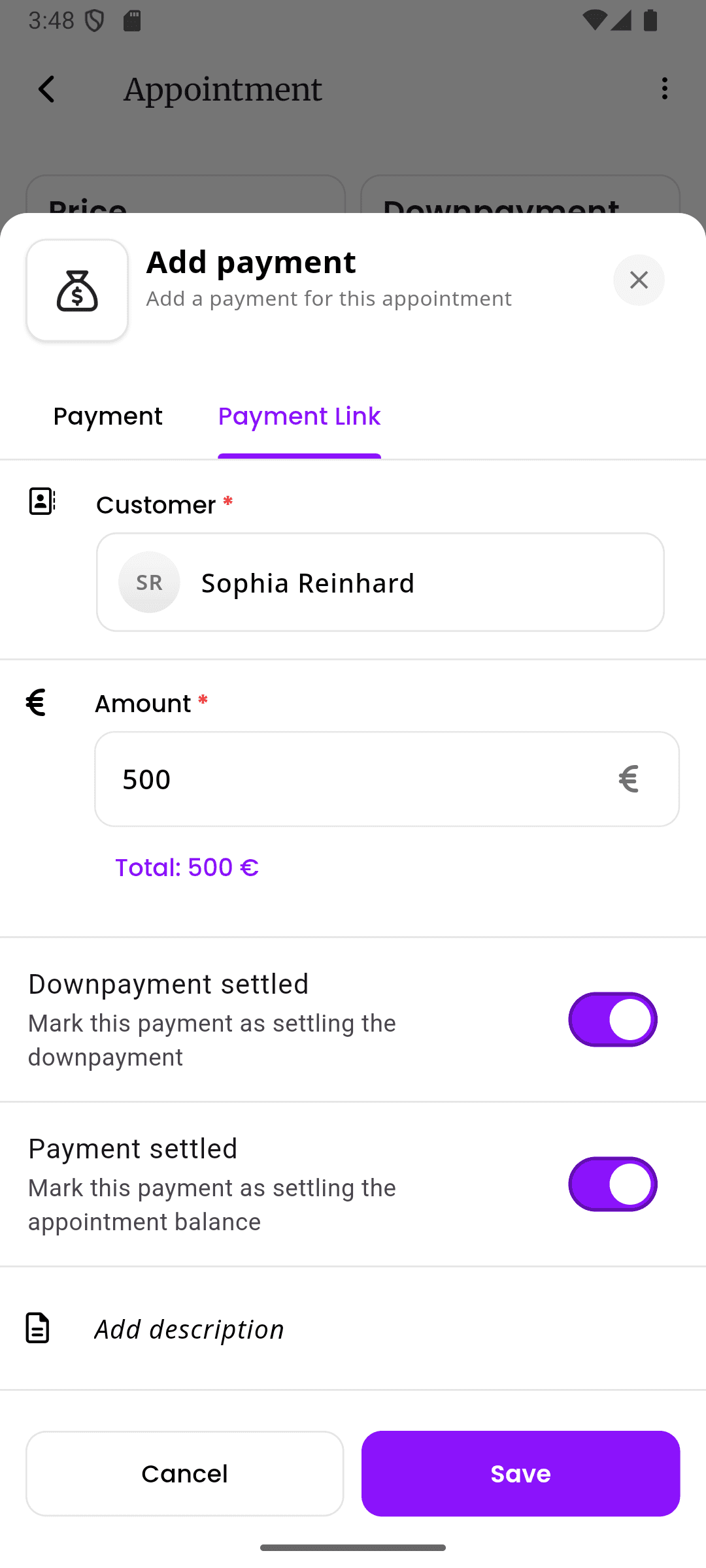
    inkStar removes the awkward payment chase. Collect deposits when clients book, send payment links from the appointment, offer Klarna installments for bigger packages, and keep every payment, invoice, refund, and outstanding balance matched to the right client and visit.

    • Deposit requests and payment links sent directly from the appointment
    • Klarna installments help clients commit to bigger packages without price shock
    • Payment status, refunds, outstanding balances, and invoices tracked in one place
    inkStar appointment with payment link and Klarna options
  4. A beauty salon CRM for formulas, notes, and client history

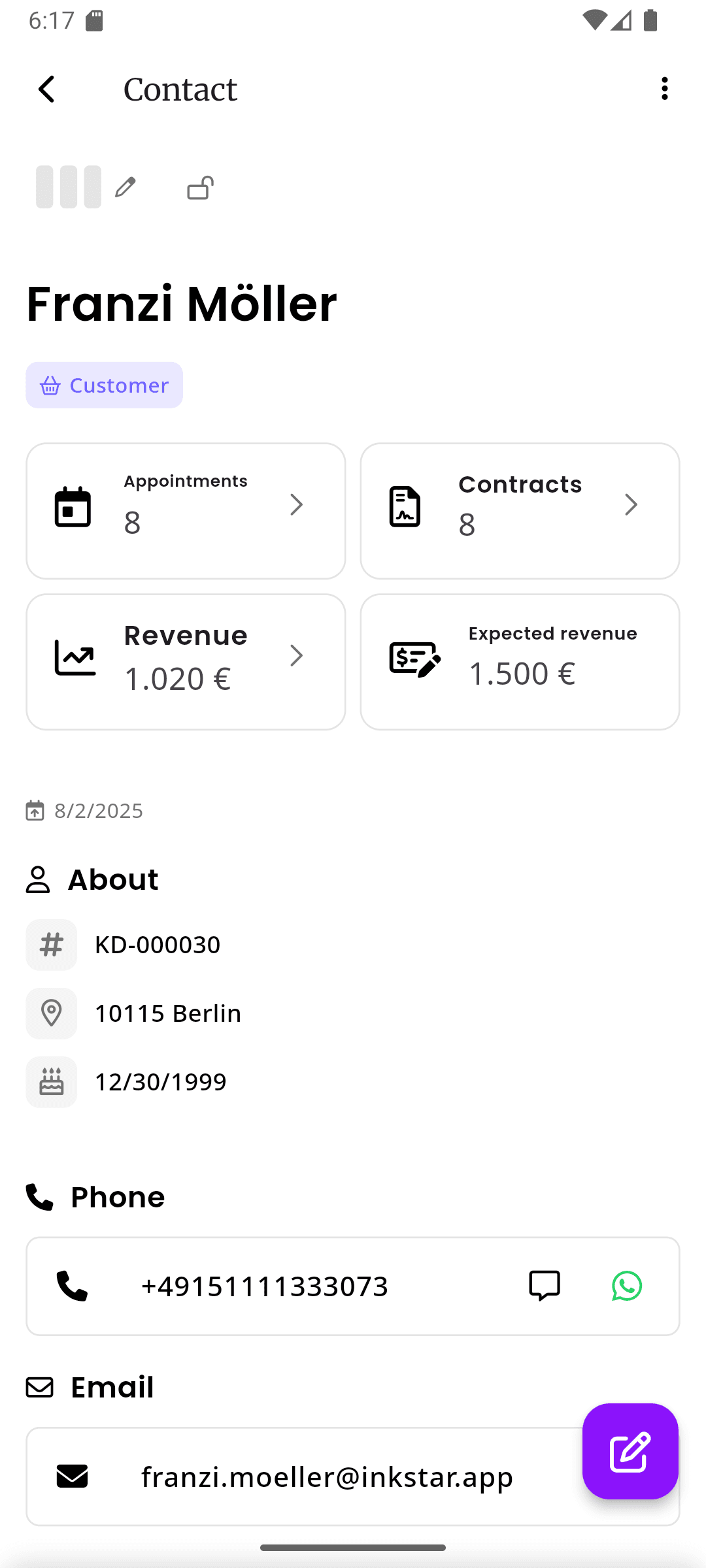
    Client profiles keep color formulas, product preferences, allergies, before/after photos, past treatments, and notes together. Staff do not have to dig through old chats or notebooks to remember what was used last time.

    • Color formulas, treatment notes, and product details are easy to find
    • Before/after photos linked directly to the treatment and client
    • Client flags and preferences help every specialist deliver a consistent result
    inkStar client profile with treatment history and details
  5. Track revenue, commissions, and salon performance without spreadsheets

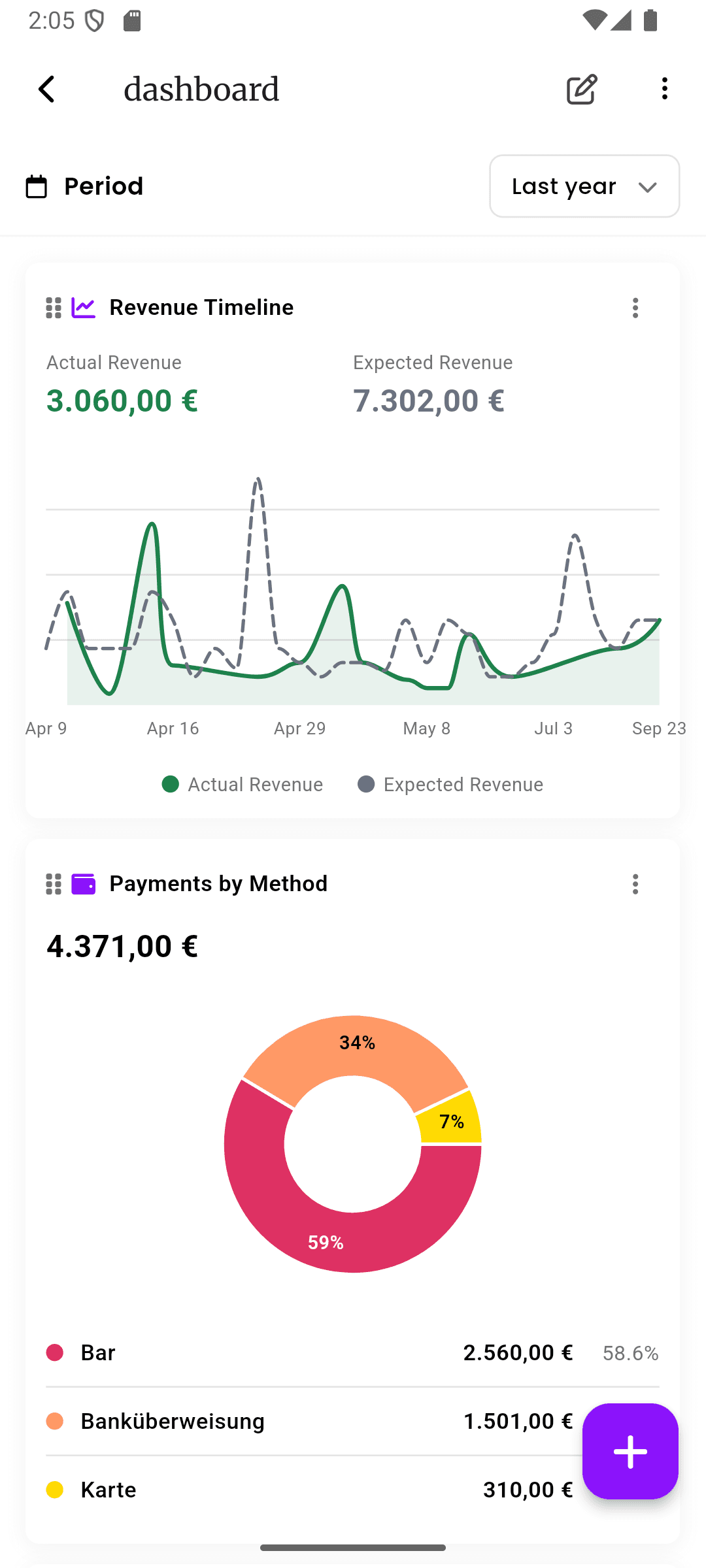
    Owners and managers can track revenue, retail sales, payout summaries, commissions, booking patterns, cancellations, and staff performance without building spreadsheets after hours. The dashboard helps you spot empty capacity, slow seasons, and cash-flow issues earlier.

    • Revenue breakdown by staff member, service type, payment method, and time period
    • Commission tracking and staff performance summaries without manual math
    • Booking trends, cancellation patterns, and rebooking signals for better planning
    inkStar business dashboard with revenue charts and reports
  6. A mobile salon app that works when WiFi does not

    Beauty work happens at pop-up events, guest spots, home visits, and salons with unreliable internet. inkStar keeps the essential workflow available offline, then syncs when the connection comes back.

    • Access schedules, client details, forms, and appointment information offline
    • Keep collecting the data you need instead of falling back to loose paper
    • Automatic sync when you reconnect helps prevent lost records
    inkStar calendar working in offline mode
  7. Staff scheduling and salon management for the whole team

    Managers see the full schedule while staff keep their own view. Set working hours for appointments, block time around appointments, protect breaks, handle walk-ins, move bookings, coordinate chairs and rooms, and keep the front desk, owner, and staff aligned without separate calendars.

    • Shared team calendar with staff views, manager views, and role-based access
    • Drag-and-drop rescheduling with automatic client notifications
    • Block buffer time, breaks, walk-in capacity, and unavailable time before conflicts happen
    inkStar team calendar showing multiple staff schedules

Built for solo professionals and full-service salons

Whether you need a beauty salon booking app for your own chair or salon management software for a team, inkStar adapts to how you book, work, and report.

Beauty salon booking app for solo professionals

Run booking, forms, reminders, payments, client records, and reports from your phone. No receptionist, no office, no problem.

  • Personal appointment planner app with AI-powered scheduling
  • Online booking page for consultations and treatments
  • Deposit collection, payment links, and invoices sent from the appointment
  • Digital intake forms, patch tests, and consent stored with each record
  • Offline mode and commission tracking for pop-ups and guest spots

Salon management software for teams

One dashboard for your entire operation. Every specialist, calendar, client, payment, deposit, and report - visible and accounted for.

  • Centralized management for multiple specialists, rooms, and locations
  • Staff scheduling, specialist profiles, work hours, and commission rates
  • Role-based permissions for staff, managers, and front desk
  • Revenue tracking, financial reports, rent settlement, and payout visibility
  • Shared client database with cross-staff history and communication notes
  • Front desk workflow for walk-ins, consultation booking, check-ins, and reschedules

How to choose the best beauty salon booking app

A good system should make the salon easier to run, not just add another login. Use this checklist when comparing inkStar, generic appointment planner apps, marketplaces, or pen and paper.

  • Can clients book without endless messages?

    Online booking should handle consultations, staff availability, buffer time, service types, and rescheduling rules so clients can book without a long message thread.

  • Can you collect deposits at the right moment?

    Beauty salon software with deposit collection protects longer service blocks and filters out clients who are not ready to commit.

  • Are intake and consent forms part of the workflow?

    Patch tests, allergy screening, and treatment consents should connect to client records instead of living in a folder.

  • Does every staff member have the context they need?

    Formulas, client history, preferences, notes, payment status, and appointment details should be available before the treatment starts.

  • Can it support a real team?

    For multi-specialist salons, look for staff scheduling, role-based permissions, shared calendars, working hours, blocked time, and commission visibility.

  • Does it help reduce no-shows?

    Deposits, reminders, cancellation rules, and clear communication should work together instead of relying on memory.

  • Can owners see the business clearly?

    Revenue reports, financial reports, booking trends, payment tracking, and commissions should not require manual spreadsheets.

  • Does it work where beauty work happens?

    A mobile salon app should work at the front desk, at the chair, at pop-ups, and at guest spots with unreliable WiFi.

Compare inkStar with the way salons usually patch things together

Generic appointment apps can handle a calendar. A purpose-built beauty salon booking app has to connect the appointment, client, form, payment, staff member, availability, and report.

  • Digital intake and consent forms

    Pen & Paper
    Paper forms, easy to lose
    Generic Tools
    Generic waivers, not treatment-specific
    inkStar
    Digital, treatment-specific, legally sound
  • Consent audit trail and client intake records

    Pen & Paper
    No audit trail, fades over time
    Generic Tools
    Basic e-sign, no compliance detail
    inkStar
    Timestamped, audit trail, GDPR-compliant
  • Beauty salon booking app with smart scheduling

    Pen & Paper
    Manual, error-prone
    Generic Tools
    Calendar-based booking
    inkStar
    AI-powered slot suggestions
  • Calendar management and staff scheduling

    Pen & Paper
    Each specialist on their own
    Generic Tools
    Basic shared calendar
    inkStar
    Shared team view with per-staff filters
  • Deposit collection at booking

    Pen & Paper
    Cash only, no tracking
    Generic Tools
    Basic payment links
    inkStar
    Automatic deposits at booking
  • Offline functionality

    Pen & Paper
    Works offline, but no sync
    Generic Tools
    Cloud-only, useless offline
    inkStar
    Full offline with auto-sync
  • Client strike system

    Pen & Paper
    Memory-based
    Generic Tools
    Not available
    inkStar
    Built-in strikes and auto-lock
  • Color formula and treatment notes

    Pen & Paper
    Scattered notebooks
    Generic Tools
    Not supported
    inkStar
    Linked to every client and visit
  • Staff commissions and payout reports

    Pen & Paper
    Spreadsheet nightmares
    Generic Tools
    Basic reporting
    inkStar
    Automatic calculation and tracking
  • Guest specialist management

    Pen & Paper
    Ad hoc arrangements
    Generic Tools
    Not supported
    inkStar
    Temporary access with custom terms
  • Mobile app for salons and pop-ups

    Pen & Paper
    Works, but no digital backup
    Generic Tools
    Needs stable internet
    inkStar
    Built for offline, mobile-first
  • All-in-one beauty business software

    Pen & Paper
    Generic, no salon features
    Generic Tools
    One-size-fits-all
    inkStar
    Every feature designed for beauty

Beauty professionals who switched to inkStar

Hear from hairstylists, estheticians, nail techs, and salon owners using inkStar for booking, deposits, forms, payments, and daily operations.

  • Color formulas stopped living in a notebook.

    I had a notebook full of color formulas, one page per client, and I dreaded misplacing it. Since switching to inkStar, every formula, every photo, every note is on my phone before the client sits down. I haven't mixed a wrong shade since.

    Lena Hoffmann · Hairstylist & Colorist
  • Patch test reminders caught what we used to miss.

    We do a lot of chemical peels and lash lifts, and patch tests used to get skipped when the week got busy. inkStar now reminds us automatically 48 hours out, and reminds the client too. It's the first system that treats patch tests as part of the booking, not an extra step.

    Amara Osei · Esthetician
  • Deposits stopped the no-shows overnight.

    A full set plus soak-off blocks ninety minutes of my day. When clients ghosted, I had no way to fill that gap on short notice. Since requiring deposits through inkStar, my calendar is full of clients who actually show up. The difference in monthly revenue is real.

    Priya Sharma · Nail Studio Owner
  • Commission disputes disappeared completely.

    With five stylists on different commission structures, payday used to mean an hour of manual math and someone questioning their number. Since moving to inkStar, commissions calculate automatically and everyone sees their own earnings in real time. Not a single dispute since we switched.

    Sophie Bergmann · Salon Owner

Beauty salon booking app FAQ

Answers to the questions salon owners and solo professionals ask when comparing booking, scheduling, form, CRM, and payment software.

A beauty salon booking app helps owners and specialists run the business side of the salon: online booking, appointment scheduling, client records, intake and consent forms, deposits, payment processing, reminders, staff scheduling, reporting, and daily salon operations.

A simple booking app usually handles only the calendar. Salon management software connects the wider business workflow: booking, client intake, forms, payments, team calendars, reports, permissions, and daily operations. inkStar combines those pieces in one mobile-first app.

Yes - full offline support. Schedule appointments, collect digital signatures on forms, log payments, and manage your calendar without any internet connection. Everything syncs automatically when you reconnect.

Yes. inkStar supports deposit collection, payment links, credit and debit cards, PayPal, instant bank transfer, and Klarna installments for bigger packages. Cash payments can be logged manually. All digital payments are tracked automatically in your financial records.

Yes. Add staff with their own schedules, commission rates, permissions, and calendar views. Track performance and commissions automatically. Role-based access means your front desk sees what they need, and staff see what they need.

Yes. inkStar forms include digital signatures with timestamps, IP logging, and a full audit trail. Forms are stored in GDPR-compliant infrastructure and linked to each client and appointment. Patch test reminders can be scheduled automatically ahead of chemical or sensitive treatments.

You can import your existing client list via CSV. Appointment history and form archives can be uploaded during onboarding. Our team helps you set up your services, working hours, and booking rules so you're ready to go within a day.

No long-term contracts. You can cancel anytime, and your data is always exportable. Start with a free trial - cancel before it ends and you won't be charged.

Yes. One account manages all your locations. Each location has its own schedule, staff, and settings, but you get unified reporting and can share client data across locations with proper permissions.

Generic appointment planner apps can help with scheduling, but they were not designed for salon workflows. They do not support treatment-specific consent forms, formula tracking, client strike systems, offline mode, or staff commission calculations the way inkStar does.

Look for online booking, appointment scheduling, calendar sync, automated reminders, digital intake and consent forms, client records, deposit collection, payment processing, invoice management, staff scheduling, commission tracking, revenue reports, offline mode, and data export.

Yes. inkStar uses your staff schedules, working hours, service durations, buffer time, and blocked time to show open appointment slots. That helps you answer questions like "When am I free for appointments this week?" without scanning the calendar by hand.

Yes. Clients can book through a link from your website, Instagram, WhatsApp, email, or direct message. They choose the service, specialist, and available time, then complete forms, pay deposits, and receive confirmations without needing to download a separate app.

Yes. inkStar checks availability before booking appointments, respects staff working hours, supports buffer time around appointments, sends automatic reminders, and keeps bookings tied to the right client record so appointments do not get lost in DMs or inboxes.

Still have questions? Chat with our team

Ready to Transform Your Studio?

Start your free trial today and see for yourself how inkStar simplifies your daily workflow.

  • 7-day free trial
  • Cancel anytime
  • GDPR compliant
  • Encrypted data at rest & in transit